> For the complete documentation index, see [llms.txt](https://docs.nimbalyst.com/llms.txt). Markdown versions of documentation pages are available by appending `.md` to page URLs; this page is available as [Markdown](https://docs.nimbalyst.com/getting-started/release-announcements.md).
# Release Announcement Archive
Archive of every Nimbalyst release announcement email, newest first, with the screenshots and links that went out to the community.
Want these in your inbox? [Sign up for release updates](https://nimbalyst.com/release-updates/). Full per-release detail lives on the [GitHub releases page](https://github.com/nimbalyst/nimbalyst/releases).
| Version | Date | Headline |
| ------------------------------------- | ------------ | -------------------------------------------------------- |
| [0.77.2](#v0.77.2-september-7-2026) | Sep 7, 2026 | Project Graph, document decisions, teammate questions |
| [0.76.3](#v0.76.3-september-3-2026) | Sep 3, 2026 | Fable 5.1, menu bar session fleet, multi-folder projects |
| [0.75.5](#v0.75.5-august-28-2026) | Aug 28, 2026 | Project Canvas, web console trackers, new coding agents |
| [0.74.4](#v0.74.4-august-22-2026) | Aug 22, 2026 | Web console editing, feedback requests, faster storage |
| [0.73.2](#v0.73.2-august-12-2026) | Aug 12, 2026 | Nimbalyst Teams Beta |
| [0.72.8](#v0.72.8-august-7-2026) | Aug 7, 2026 | Tracker documents, spreadsheet formulas, MCP fixes |
| [0.70.5](#v0.70.5-july-23-2026) | Jul 23, 2026 | Token consumption, PR review sessions, custom trackers |
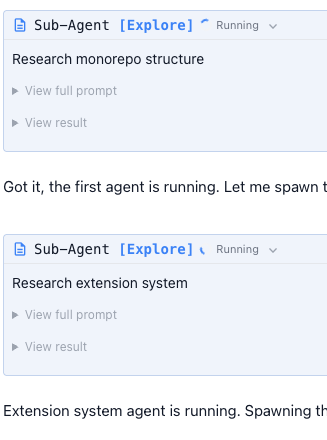
| [0.67.3](#v0.67.3-july-9-2026) | Jul 9, 2026 | Background sub-agents, Calc Sheets, PR linking |
| [0.66.7](#v0.66.7-july-1-2026) | Jul 1, 2026 | Major trackers upgrade, voice mode, nim CLI |
| [0.65.4](#v0.65.4-june-15-2026) | Jun 15, 2026 | Subscription terminal mode, embeds, actions, browser |
| [0.63.9](#v0.63.9-june-2-2026) | Jun 2, 2026 | Opus 4.8, unified Quick Open, performance |
| [0.60.1](#v0.60.1-may-13-2026) | May 13, 2026 | Multi-project rail, session rename, Codex parity |
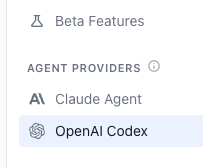
| [0.58.14](#v0.58.14-april-30-2026) | Apr 30, 2026 | Open source, extension system, OpenCode |
| [0.58.3](#v0.58.3-april-23-2026) | Apr 23, 2026 | Session resume fix, training video |
| [0.56.17](#v0.56.17-march-26-2026) | Mar 26, 2026 | Windows re-download, image paste, context accuracy |
| [0.56.6](#v0.56.6-march-19-2026) | Mar 19, 2026 | Opus/Sonnet 1M, skills, mobile keep-awake |
| [0.55.31](#v0.55.31-march-13-2026) | Mar 13, 2026 | Mobile app, Enterprise SSO |
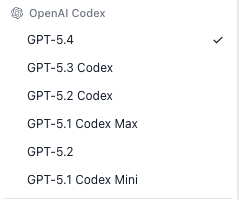
| [0.55.25](#v0.55.25-march-7-2026) | Mar 7, 2026 | GPT-5.4, session mentions, Windows signing |
| [0.55.9](#v0.55.9-march-3-2026) | Mar 3, 2026 | Session kanban, trackers, system tray |
| [0.54.19](#v0.54.19-february-26-2026) | Feb 26, 2026 | Codex GA, sub-agents, file sharing |
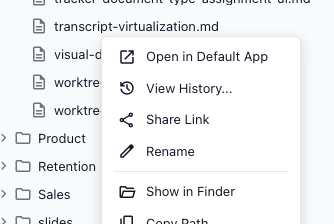
| [0.53.13](#v0.53.13-february-19-2026) | Feb 19, 2026 | Sonnet 4.6, Codex beta, shareable links |
| [0.52.60](#v0.52.60-february-6-2026) | Feb 6, 2026 | Claude Opus, agent teams |
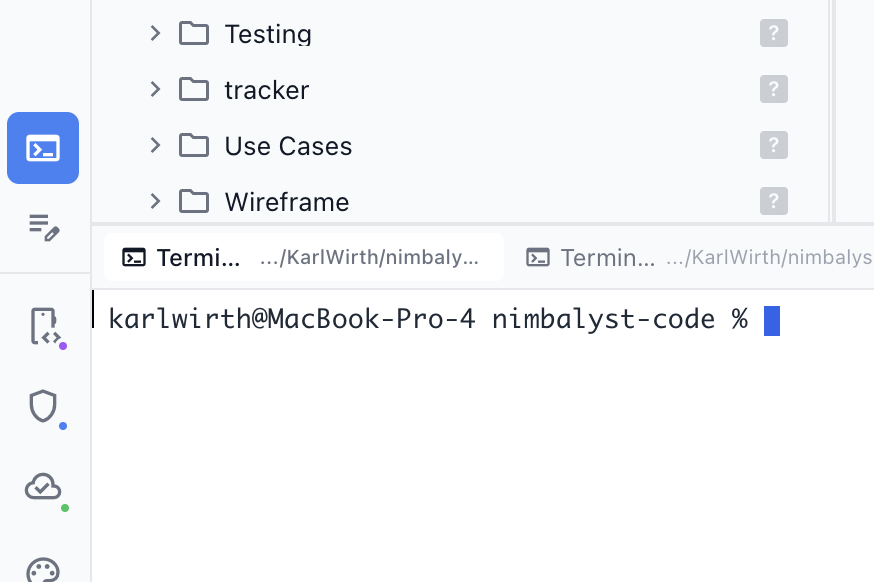
| [0.52.40](#v0.52.40-february-5-2026) | Feb 5, 2026 | Terminal, git, worktrees, workstreams |
***
## v0.77.2 - September 7, 2026
**Project Graph, decision blocks and teammate questions in documents, Media Viewer**
Nimbalyst 0.77.2 (covering the 0.77.x releases) brings a bigger Project Graph, decisions and questions you can settle with teammates right inside a document, a Media Viewer for video files, and GPT-6 Astra support.
### Project Graph
Project Graph adds Atlas, Pulse, and Evidence Trails views with broader source coverage, saved views, and linked source exploration, so you can see how the work in your project connects and where the activity is.
### Decisions and Questions in Documents
* Add decision blocks inside documents, with solo or collaborative voting and attributed outcomes preserved in the markdown.
* Send document questions to teammates, collect private answers, and resume the agent after a human settles the outcome.
### Other New Features
* Media Viewer extension: open and play .mp4 files in a tab, including scrubbing through long recordings.
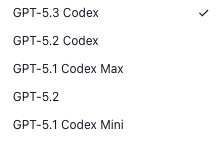
* GPT-6 Astra can be selected for Codex sessions, with its Ultra reasoning level.
* A session that launches another session can request the reasoning effort it runs at.
* Project Memory indexes agent instructions and personal memory as separate sources and can use an optional on-device embedding model.
* Session history marks sessions that launched other sessions, with a launch-count tooltip.
### Fixes
* Provider API keys are now encrypted on disk.
* iPhone and iPad share one adaptive layout that preserves the active session and draft through rotation, with a session sidebar on wide screens.
* Plus fixes for Codex question answers arriving after a turn ends, workstream tab scrolling, orchestrating sessions keeping up with their children, the Codex effort selector, extension tool calls that stopped responding, and SQLite migration timeouts on large document histories.
***
## v0.76.3 - September 3, 2026
**Claude Fable 5.1, menu bar session fleet, multi-folder projects, quick tracker capture**
Nimbalyst 0.76.3 (covering the 0.76.x releases) brings Claude Fable 5.1, your session fleet in the macOS menu bar and on your iPhone, projects that span several folders, and fast tracker capture from anywhere in the app.
### Claude Fable 5.1
Claude Fable 5.1 is now available in the model picker, with Fable 5 kept as a selectable previous-generation option.
### Session Fleet in the Menu Bar and on Your Phone
* The macOS menu bar names a session as it starts, finishes, blocks or fails, flags one that has stopped responding, and quiets to a single mark when nothing is running.
* Your session fleet also reaches the iPhone Lock Screen and Dynamic Island as a Live Activity, ranked by how long each session has been waiting on you.
### Multi-Folder Projects
* A project can span several folders: attach one from the File menu or quick open and it appears in the explorer, in search, and to your agents, with git status, branches and commits tracked per repository.
* The Git panel's Changes tab can show every repository at once, and Commit with AI proposes one commit per repository when your changes span several.
### Trackers and Teams
* Quick Track (Cmd+Shift+I) files a tracker item of any type from anywhere in the app, offering similar existing items before you add a duplicate.
* Radar gives shared trackers a since-you-left digest of teammate activity, status moves, and stalled work, in desktop and the web console.
* Right-click a folder and choose "Share Folder to Team" to publish everything shareable inside it at once.
* Accepting a team invitation now opens your team in the browser and lands you on its documents, and inviting someone asks what they get so a new teammate arrives to real work.
### Other New Features
* /planning:nimbalyst-coach reviews your project and recent sessions and suggests extensions, features you have not tried, and instructions worth adding, changing nothing until you approve.
* A .deb download for Debian and Ubuntu, covering Ubuntu 24.04 and later where the AppImage is blocked.
* Grok Build sessions can answer questions and approve tool use while they run.
### Fixes
Highlights: agent edits to a file open in diff mode can no longer be reverted by an autosave, an API key left in your shell environment is no longer handed to the Codex or Copilot agents, document sync can no longer delete markdown files from your workspace, phone-started sessions run on one desktop instead of duplicating across installs, tracker item bodies survive team metadata syncs and keep their issue keys, tracker Display Settings are remembered per type, a failed compaction can be retried, and background agent commands can run for up to 30 minutes.
***
## v0.75.5 - August 28, 2026
**Project Canvas, trackers in the web console, Grok Build and Cursor Agent, Animations**
Nimbalyst 0.75.5 (covering the 0.75.x releases) brings Project Canvas, full tracker support in the web console, two new coding agents, an animation editor, and mockup pin comments.
### Project Canvas
An infinite canvas where every card is the real editor (markdown, mockup, spreadsheet, drawing, mindmap) live and editable in place. Drag a file or shared document onto the board, add sticky notes, frames, and arrows, and get team comments, presence, and agent activity. Works in the desktop app and the web console, saves as an open .canvas file, and an AI session can build a board for you from a description.
### Trackers in the Web Console
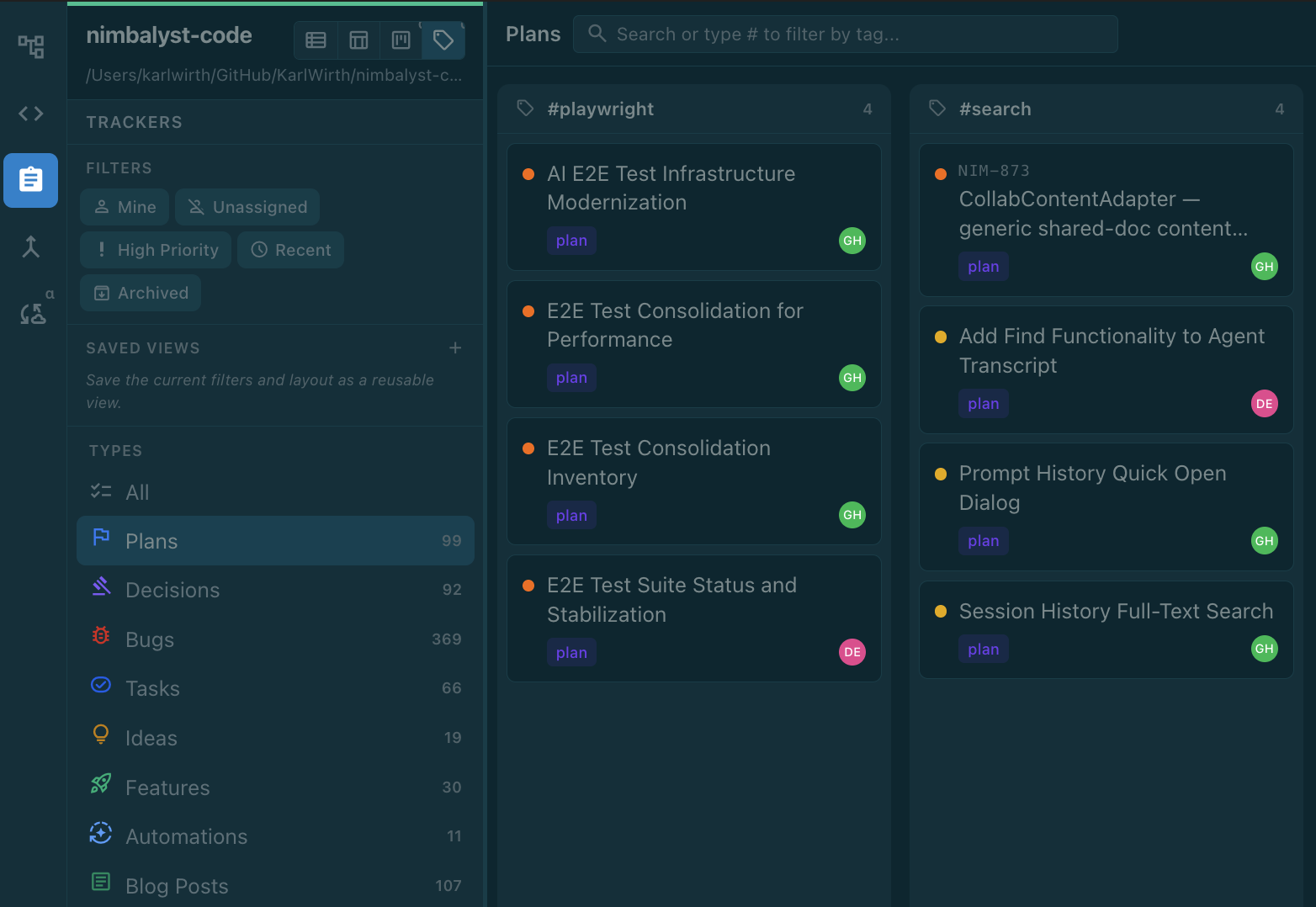
* Work your team's shared trackers from the browser in list, table, board, timeline and tag board views, with search, filtering, inline editing, comments and drag-and-drop, converging live with the desktop app.
* The web console now reads as Nimbalyst rather than a separate admin tool, with the desktop app's header, navigation, themes, and Cmd+K quick open, and a layout that holds up on a phone.
* Invite people to your organization from the web console and manage pending invitations.
### New Coding Agents
* Grok Build and Cursor Agent join as coding agents, each with settings, model picker, edited-file tracking and diff review.
* Gemini is now a built-in coding agent rather than an extension.
* OpenCode sessions gain slash commands, Compact, agent roles, and a live model picker.
### Animations
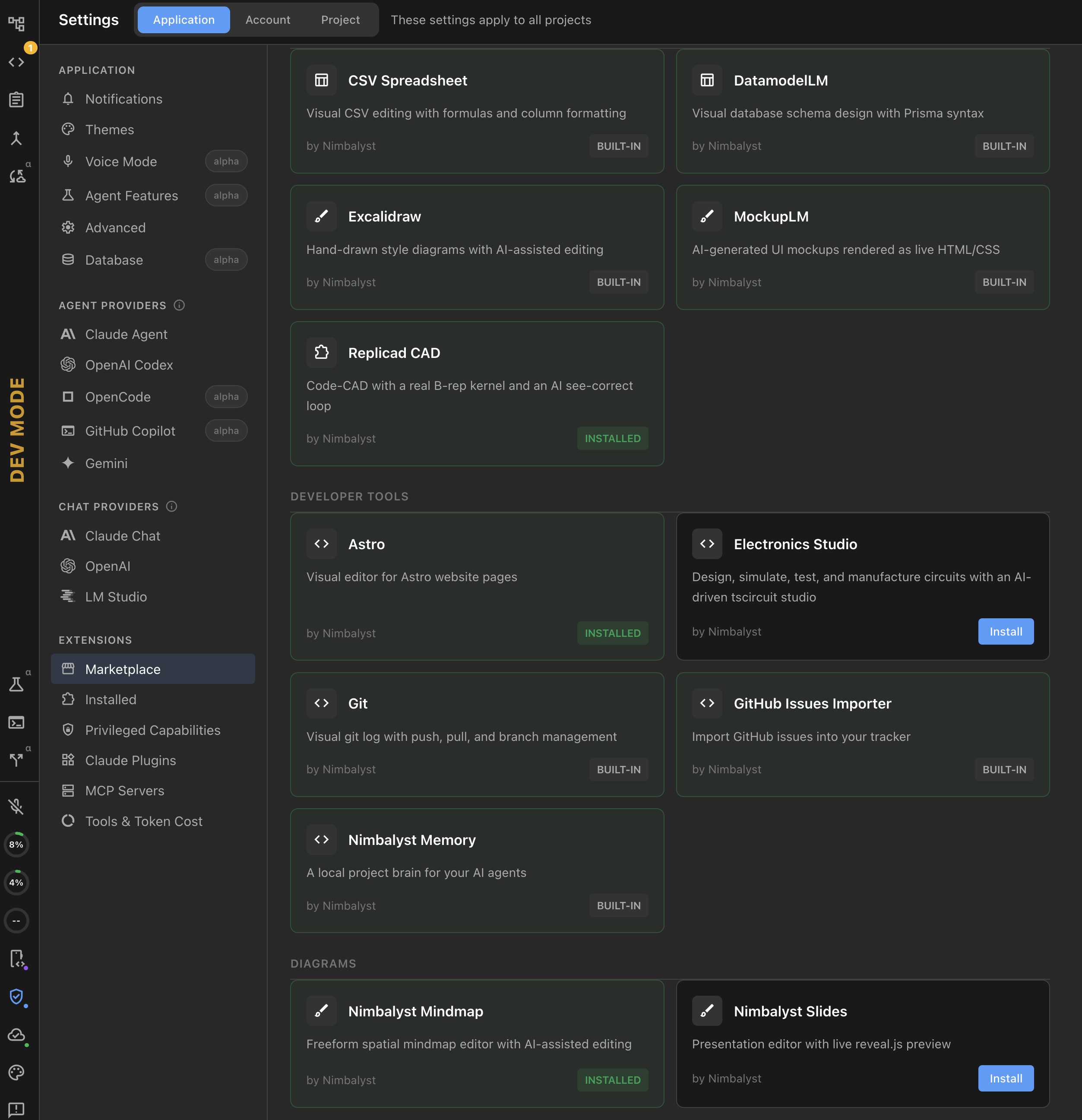
Author step-based technical animations in .anim.json files, with a live stage, scrubbable timeline, and MP4 or GIF export. Animation and Project Canvas are installable from the Extensions marketplace.
### Other New Features
* Comment on a spot in a shared mockup: pins sync live, keep their place when an AI regenerates the mockup, and agents can read and reply.
* Trackers record what an item is waiting on, with a built-in Ready view listing unblocked work first.
* Browse and triage GitHub issues beside pull requests, keeping notes local until you adopt an issue as a tracker item.
* Commit with AI can stage individual hunks of a file, so parallel sessions editing the same file each commit only their own lines, and it pre-selects the hunks your session actually wrote.
* AI sessions take less disk, and clearing old tool output now prunes existing sessions too.
### Fixes
Highlights: images attached to a Claude Code session reach the model again, Nimbalyst no longer freezes for seconds during startup or while an AI session edits files, offline team-tracker edits reach the team on reconnect, shared trackers connect within moments of launch, and Nimbalyst no longer removes items from your team's tracker when it cannot tell which trackers are shared.
***
## v0.74.4 - August 22, 2026
**Edit shared files in the web console, teammate feedback requests, spreadsheet upgrades, faster storage**
Nimbalyst 0.74.4 (covering the 0.74.x releases) brings web console editing for shared files, structured feedback requests, a big spreadsheet upgrade, Organization mode, and an automatic move to a faster storage engine.
### Edit Shared Files in the Web Console
Shared spreadsheets, mockups, and Excalidraw diagrams now open and edit in the web console, with live presence between the desktop app and the browser.
### Feedback Requests
Ask a teammate for structured feedback: your agent drafts the question, it lands in their inbox with the artifacts it is about, and anyone can answer in a browser.
### Spreadsheets
Spreadsheets gain date-time, time, checkbox, link, and tracker columns, cell styling, accounting and scientific number formats, and date arithmetic in formulas.
### Trackers
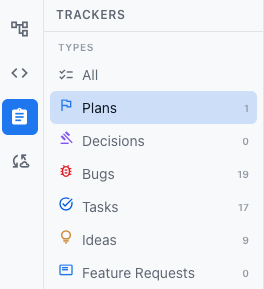
* Trackers hide closed work by default, with an Open / All / Closed switch on every view and new Won't Do and Duplicate statuses.
* Tracker items that have not been shared yet get a number of their own, like NIM.12, so you can refer to one before it is published.
### Organization Mode
Your organization's inbox, rooms, and direct messages open in the project window as an Organization mode, with mentions, assigned work, and owed replies as their own rows.
### Faster Storage, Less Disk
* Nimbalyst upgrades its local database to the faster storage engine on its own, and stays on the old one if anything goes wrong.
* Nimbalyst takes far less disk: fewer and now-adjustable database backups, no more storing enormous command output, and an option to discard old tool output.
* Databases are never set aside without confirmation, momentary startup failures retry instead of emptying your sessions, and when the database will not start Nimbalyst lists the backups it holds instead of telling you to delete anything.
### Fixes
Highlights: shared spreadsheets, diagrams, mockups, and data models no longer drop edits when two people work at once, Codex file edits show a red/green diff again with context usage and Compact restored, milestones and releases report their true progress, push notifications reach the phone you walked away from, and a long list of community-contributed fixes landed. Thank you to our contributors.
***
## v0.73.2 - August 12, 2026
**Nimbalyst Teams Beta - Multi-player for Claude Code / Codex**
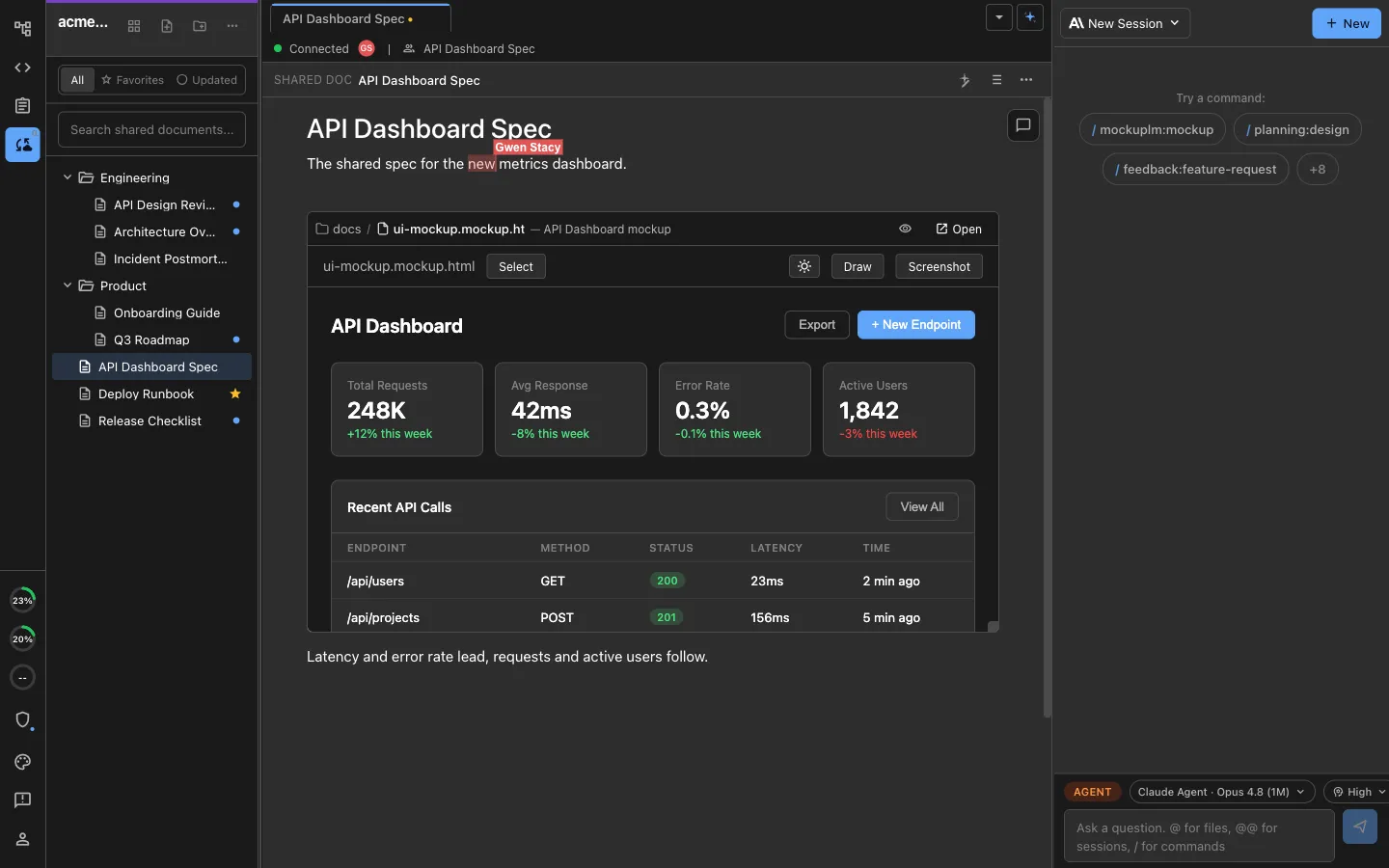
Nimbalyst Teams Beta release (0.73.2) brings multiplayer for Claude Code and Codex in collaborative trackers, collaborative files (markdown docs, excalidraw, mockups, csv, code, more) and collaborative extensions you make with your agents.
Nimbalyst Enterprise Beta brings Nimbalyst collaboration you can own (run in your own CloudFlare, source for internal use).
### Nimbalyst Teams: Multiplayer Claude Code & Codex
Nimbalyst Teams allows you to work locally in Nimbalyst, then promote a local document or tracker to shared, collaborate on it with your team async or in real-time, and all continue to use your local agents which can see your local and shared docs and trackers and your local sessions.
The benefit for you is less app switching and you don't have to keep all the links and connections between docs, trackers, diagrams, code, sessions in your head. Nimbalyst does that for you. For your agents, the advantage is deep unified context.
**Get Started with Nimbalyst Teams**
* Nimbalyst Teams is free while in Beta but will be $20/user/month
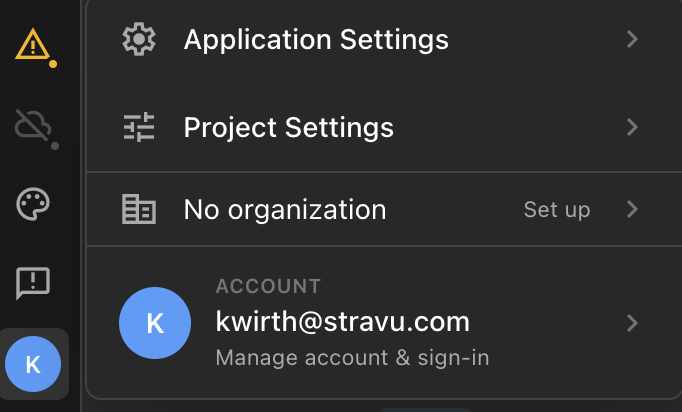
* Try it now by clicking on the profile icon on the bottom left and then Org.
* Invite team-members to your org
* Here is a detailed [video and walkthrough](/team-collaboration/teams-tutorial.md) of how to set it up and use it
* Here is the [overview](https://nimbalyst.com/teams/) on the website
### Collaborative Documents
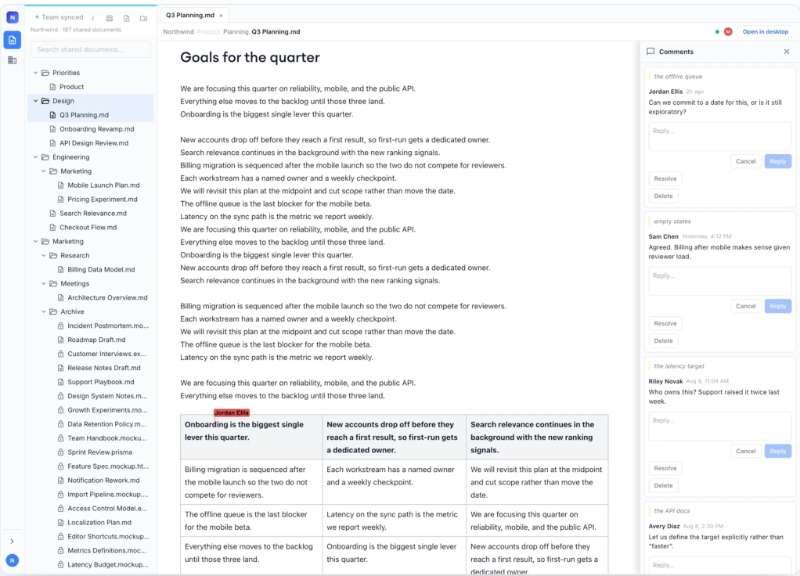
* Share a document, plan, decision, mockup, diagram, or tracker item to your team and everyone edits the same live copy
* See teammates working with presence icons
* Comment and review comments. Inbox for easy comment tracking
* Agents can read, reply to, and create inline comments
* Embedded mockups and diagrams inside a shared document render live for teammates
### Collaborative Trackers
* Work with your team and your coding agents in a shared tracker
* Create, update, move trackers or have your agent do the same
* Trackers contain the full collaborative markdown documents in which you can write text, tables and embed diagrams, mockups, csv
* Keep your work organized and together in a system that records status and progress, avoiding cluttered folders
### Collaborative Extensions
* Have your agent build visual editors that are coding agent integrated to extend Nimbalyst
* These extensions can be collaborative / multi-player
### Nimbalyst Web Console for Team Members who do not yet use the Desktop App
* For Nimbalyst users who want to share a plan or mockup or spreadsheet with one or many team members who do not have the Nimbalyst desktop app
* Web console users can edit files and comment on them.
### Nimbalyst Enterprise Beta
* Nimbalyst collaboration server in your own Cloudflare account, or managed by us
* Collaboration code source available for your company only use
* Data residency pinned to your jurisdiction
* An engineer embedded with your platform team through onboarding
* We build your first multiplayer extension, a visual editor for an artifact your teams work with today
Learn more [here](https://nimbalyst.com/enterprise/).
### Additional Features, Improvements, and Fixes
* Group the tracker board into lanes by milestone, goal, or any other field - drag a card, use the chip on it, or move several at once - and lay the same grouping out over time in the new Timeline view.
* Git Log shows which AI session produced each commit, with a click-through to open it.
* The editor header shows the last AI session that worked on the open file, with a dropdown to jump to other sessions or start a new one.
* Improved taskbar session state preview
* Agents reading a web page no longer receive what you typed into its form fields.
* Sessions waiting on a question or a permission prompt now show as awaiting your input in the sidebar and on mobile, instead of looking like they are still running.
* Prompts sent from your phone appear in the queue while they are still pending.
* Viewing history diffs no longer freezes a restored session.
* The slash-command palette shows each command and skill's own description again, along with its correct icon and grouping.
* Browser tabs now line up with their tab when the window is zoomed in or out, instead of painting the page in the wrong place and at the wrong size.
* Repositories with more than a page of open pull requests no longer show only the first page, and accented characters in PR titles no longer come through garbled.
***
## v0.72.8 - August 7, 2026
**MCP fixes, Trackers with full doc editing/undo, Spreadsheets with formulas, Tutorial, Stickers, Quote request**
Nimbalyst 0.72.8 release: MCP Fixes/Chip, Trackers with embedded documents, grid view, undo. Spreadsheets with formulas, find/replace. Tutorial playground, Stickers, and Quotes, Git panel.
### MCP Fixes
* OAuth HTTP and SSE servers connect in Claude Code sessions
* Your existing MCP setup is used instead of overridden
* Servers that refuse dynamic registration can be authorized with a client ID you enter
* Optional MCP status chip in the session header showing which servers connected
### Trackers embedded docs, grid view, views
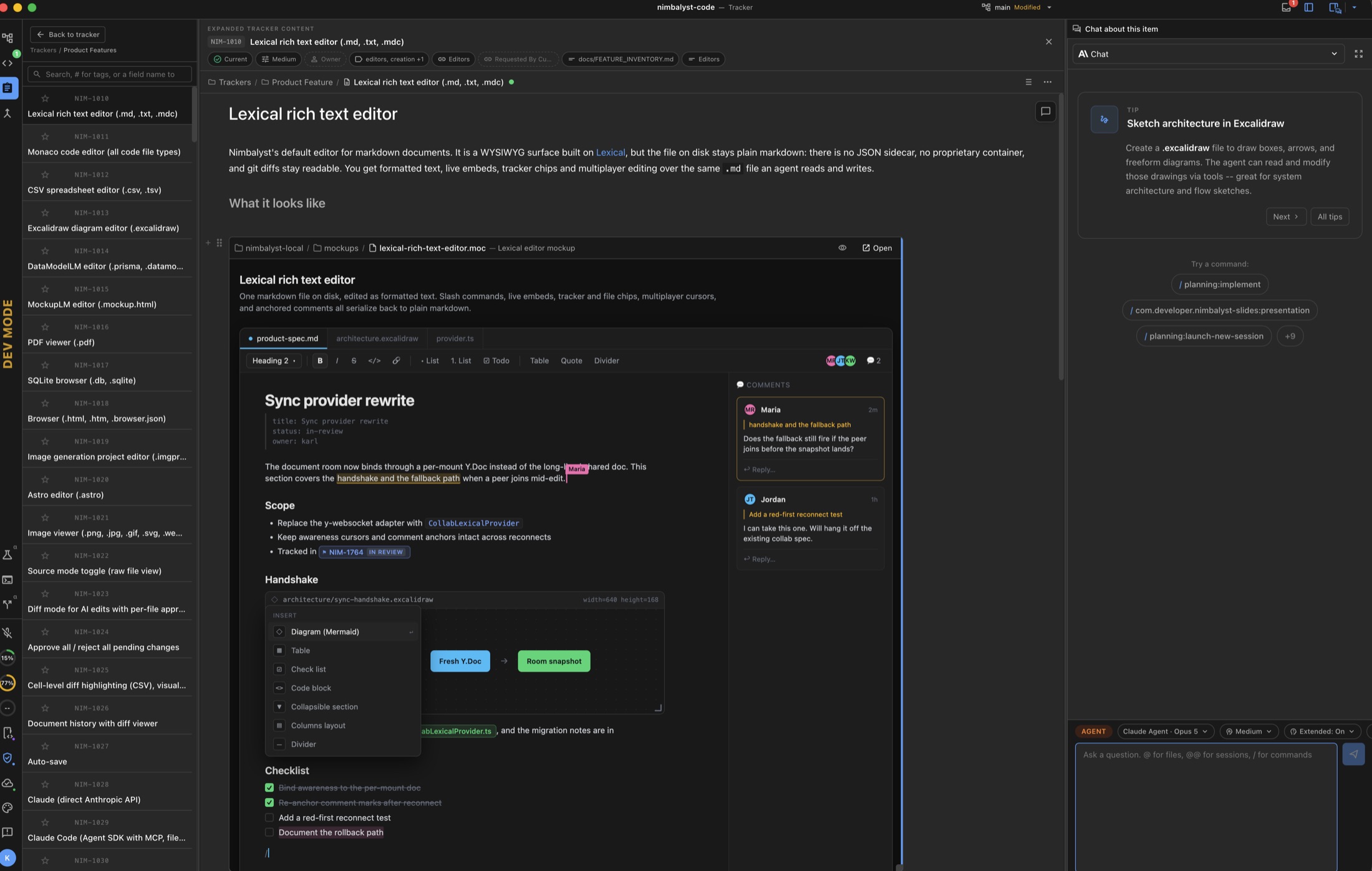
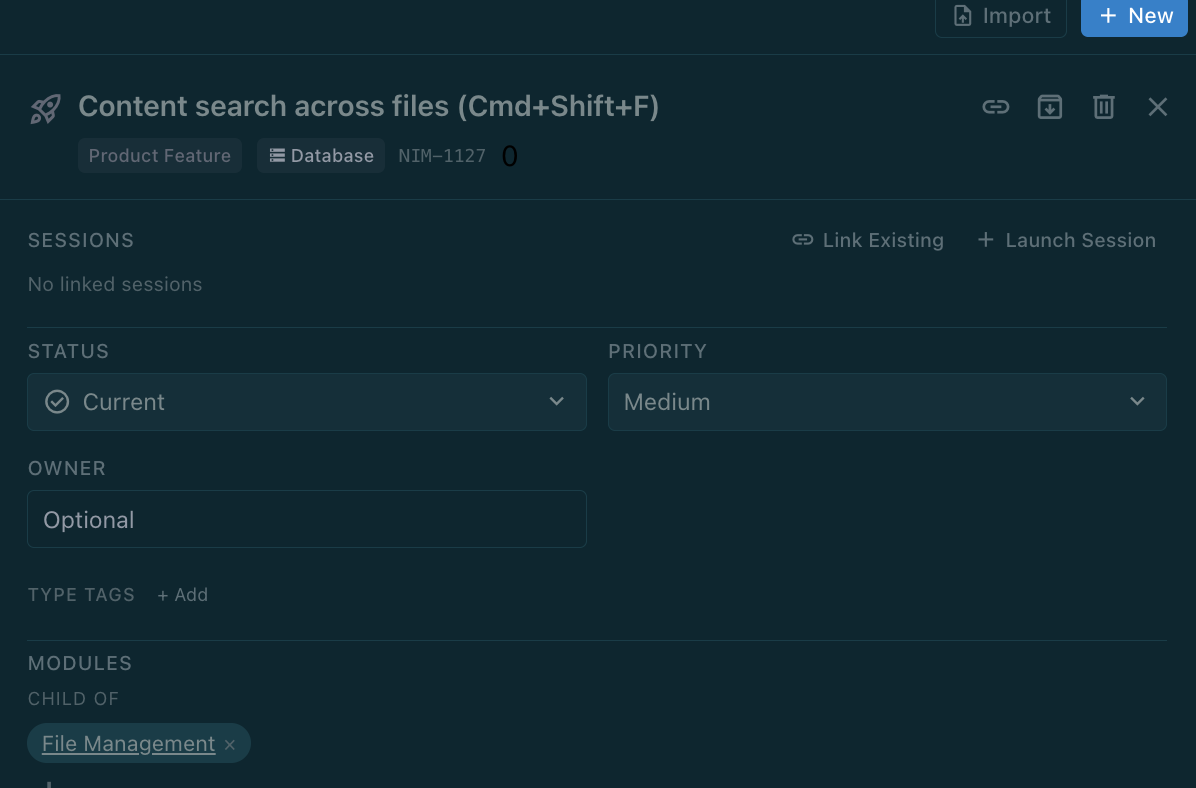
Tracker items open as full documents with editable field chips, keyboard-driven search and filters, and a side-by-side AI chat panel, so the writeup lives in the item instead of as a loose markdown file in a folder. It's much easier to organize work and keep everything together and moving through state.
* Editable grid Table view with favorites, right-click bulk actions, column sorting, and grouping
* Undo/Redo in the tracker table with Cmd+Z and Cmd+Shift+Z, covering cell edits, paste, bulk status and priority changes, and archiving.
* Shareable saved views, unified filter pills with multi-select values, relative dates, and user filters
* Triage inbox showing items waiting on a decision, with a "Leave it" action that clears an item for the whole team
* Release and review workflows, plus expanded nim CLI commands
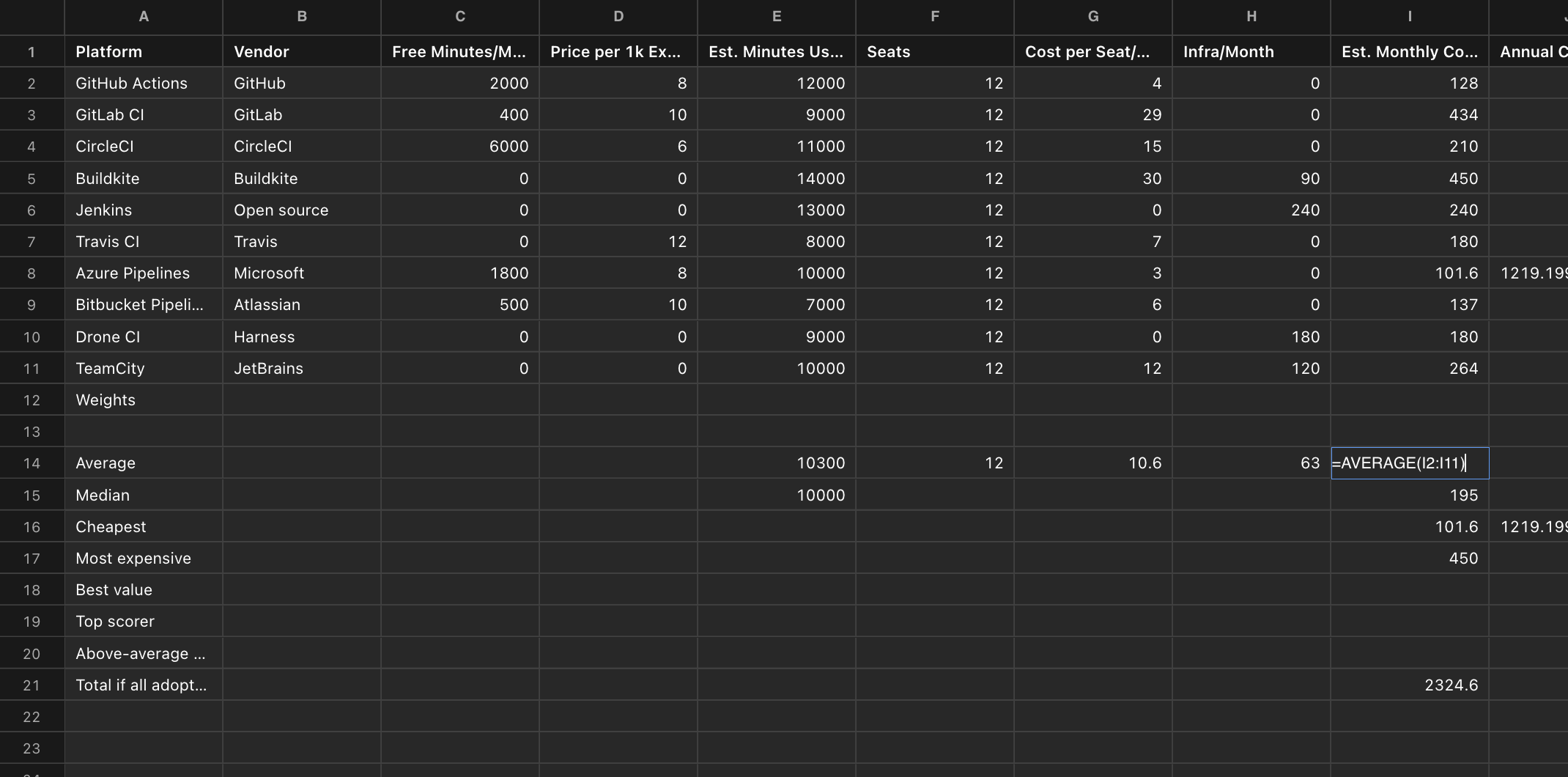
### Spreadsheets with formulas
* Find and Replace is now supported in spreadsheets
* Formulas can be added by you or your agent
* Freeze columns and rows
### Tutorial Playground
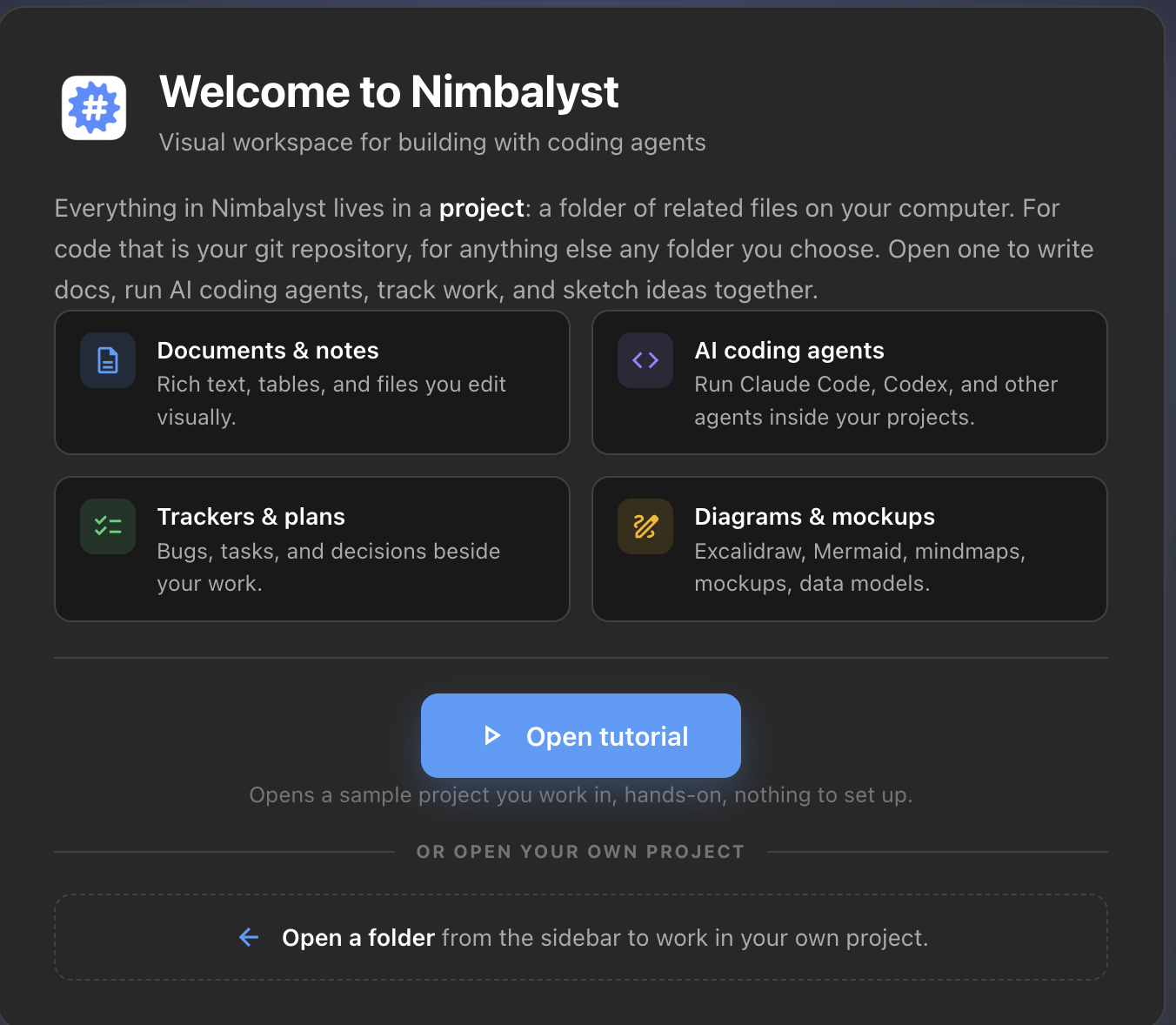
You can open a ready-made tutorial project with documents, data, designs, plans, and finished AI sessions to explore. Available any time from the project manager or Help > Launch Tutorial.
### Stickers
As a thank you for being a part of Nimbalyst. I'd like to send you a Nimbalyst sticker. It is 3 inches long and 1 inch high. Just put your address into this Google Form and we will mail it to you. The address won't be used for anything else.
### Public Quotes and Use Cases
I'm looking for quotes and stories I can use publicly on the website and social about your positive view or use of Nimbalyst. Reply to this email or email me at with:
* A short quote I can use, or a short paragraph on the problem Nimbalyst solved for you or how you use it
* Whatever you are comfortable sharing: Anonymous with Role, First Name, Full Name, or Full Name and Company and Role (the more the better)
* Just say "You have my permission to use this on website, social, or both"
* We can go back and forth and hone it.
### Additional Features, Improvements
* The new-worktree dialog can now search branches, narrowing the local and remote lists as you type.
* Agent sessions can show an MCP status chip listing which servers the session has and which are connected - off by default, under Settings > Agent Features.
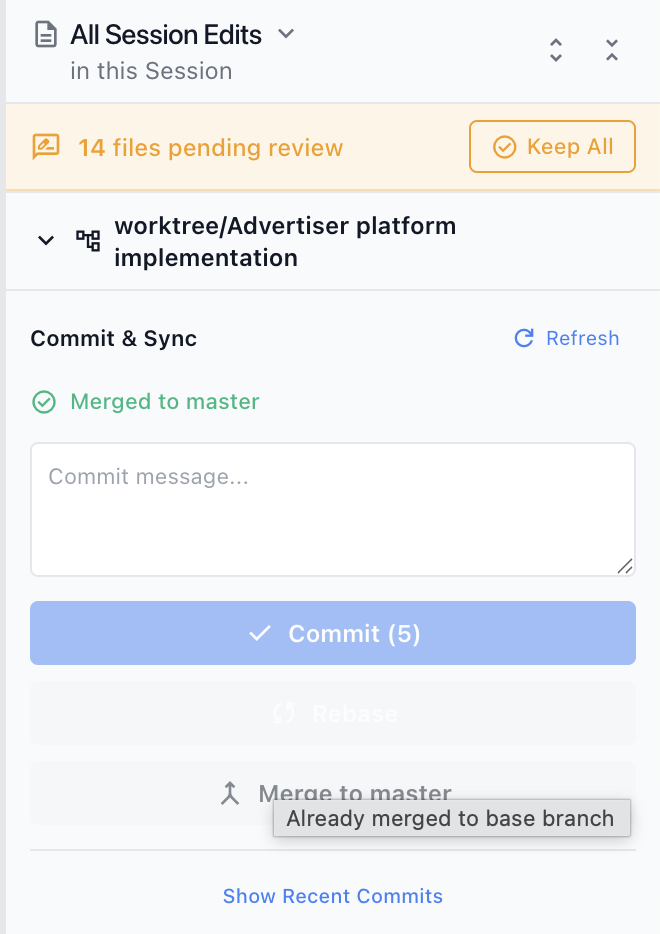
* The Git panel's Changes tab is now one compact, collapsible list with no staging step: tick the files you want and commit them, or hand the selection to AI to write the message.
### Additional Fixes
* Claude Agent sessions no longer re-write the prompt cache on most turns, cutting token cost and rate-limit usage on long sessions.
* Claude Code sessions use your existing MCP setup instead of overriding it, so account connectors load again and sessions no longer fail to start on machines with an organization-managed MCP policy (#1051).
* OAuth-authorized HTTP and SSE servers connect, and servers whose provider refuses dynamic client registration can be authorized with a client ID you enter.
* Queued prompts now run on their own: a prompt sent from your phone opens the project and runs it, prompts left over from a quit resume once the project is open again, and a prompt that arrives mid-turn runs when the turn ends (#962).
* Sessions no longer show as running after their work finished, so prompts queued behind an interrupted or background-task session send. Cancelling a Codex session stops it for good, and Codex sessions using parallel sub-agents wait for the lead agent's final response.
* Yes/no questions from the agent show both answers as pickable buttons and wait for you to choose. Answering or cancelling a question closes it for good instead of bringing it back when you switch sessions (#1116, #773).
* Simply opening a tracker item no longer bumps its "Updated" time or adds a phantom edit to its history.
* Tracker items with structured array fields no longer crash when opened (#1104), sidebar type counts no longer read 0 for types that have items, and sorting by a date column orders rows by date instead of alphabetically by month name.
* A session that reports its previous conversation has expired now genuinely starts fresh on the next message (#1098).
* Main windows restore their maximized state after restart instead of reopening at stale bounds (#1077), and dropdown menus no longer open underneath the macOS window controls (#1096).
* Windows builds sign installer and uninstaller (#853).
* A file that repeatedly fails to save now shows a Retry banner instead of autosave looping on it forever.
* Projects with many new, uncommitted folders no longer stall while the file tree and changed-files list refresh.
* Find-in-document highlights matches inside inline code, comments whose anchor text was deleted scroll into view, and the sidebar extension panel reopens where you left it after a reload (#1114).
* Links written as plain relative paths, such as `design/dashboard.mockup.html`, open the file instead of a broken page in your web browser, and embedded mockups and diagrams in shared documents open the shared copy.
* When a session edits the same file several times, the red/green diff shows the whole set of changes again instead of only the last one.
* Tables exported to PDF span the full page width with content-sized columns.
* Web search and web fetch no longer fail in Claude Code CLI sessions running at max effort.
* Changing a project's permission mode now applies to agent sessions that are already running.
***
## v0.70.5 - July 23, 2026
**Reduced Claude token consumption and sessions hanging, start sessions anywhere, customizable trackers, start a PR review session, voice**
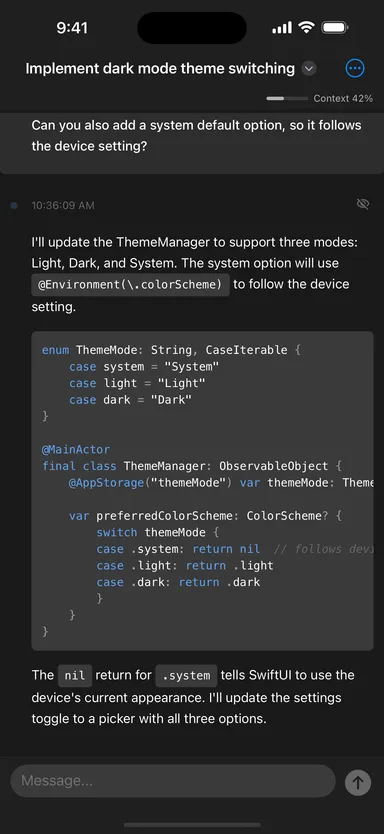
Nimbalyst 0.70.5 release: PR review session, start sessions anywhere (Cmd-Shift-N), reduced Claude token consumption and sessions hanging, customizable tracker types and folders, Agent attention list, voice improvements, and persistent git history. Please star us on [GitHub](https://github.com/nimbalyst/nimbalyst). Thanks.
### Reduced Claude Token Consumption and Reduced Claude/Codex Session Pausing
* We reduced the cases where there are Claude Agent cache misses from tag changes, session renames, etc. This fix will result in some users seeing improved Claude token usage.
* We also fixed a set of bugs that resulted in occasional agent sessions pausing such that you had to prompt the session to resume.
### Popup a new AI Session anywhere
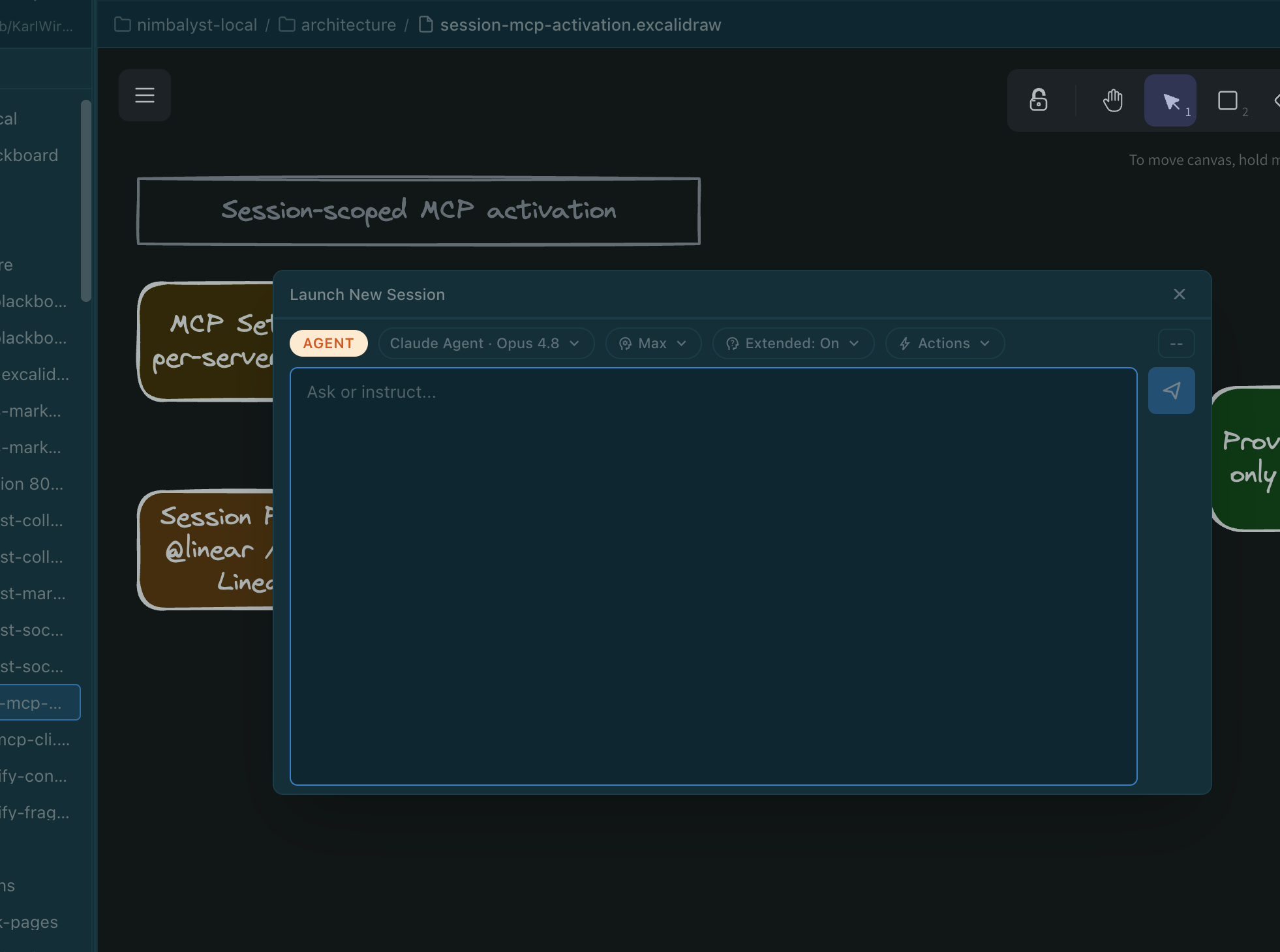
Launch a new AI session as popup in any window. Very useful in trackers mode and for kicking off something that occurs to you in Files Mode or Agent Mode while keeping your current session in view. Cmd+Shift+N.
### Customizable Tracker Types and Folders
* Customizable tracker types per workspace, organized into ordered folders
* Ask your agent to create the custom fields, custom status, or new tracker types.
* You can now do this for built-in tracker types.
### Agent attention icon and list
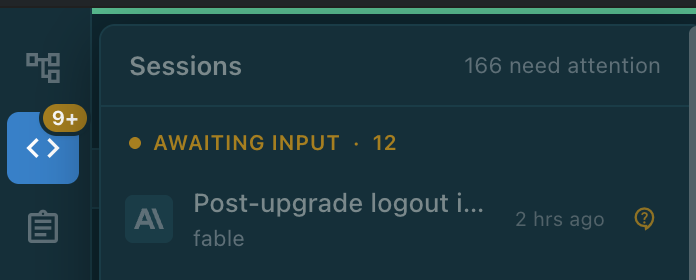
Agent attention icon with a grouped attention list for sessions awaiting input, running, or unread
### Start a PR Review Session
Launch an AI review session from any pull request with the review command prefilled.
Find all the features, improvements, fixes on our [release page](https://github.com/nimbalyst/nimbalyst/releases/tag/v0.70.5).
***
## v0.67.3 - July 9, 2026
**Background sub-agent & automation fixes, Calc Sheets, Memory, PR connect to tracker/sessions and more**
Nimbalyst v0.67.3 was just released with customize the nav gutter, maximize the editor by double-clicking, pull requests connect to trackers and sessions, chat input pills, tools & token cost panel, and Browser, Calc Sheets, GitHub Issues Importer, and Memory Extensions.
It also includes many fixes: background sub-agents keep running to completion, scheduled automations fire on time, slightly reduce per-request tokens, voice-mode improvements, the model picker shows every model again, and a batch of mobile and custom-editor fixes.
Please star us on [GitHub](https://github.com/nimbalyst/nimbalyst). Thanks!
### New Features
* **Customize the navigation gutter.** Right-click the gutter to hide, show, or drag-reorder any icon, with your preferences applied across all projects.
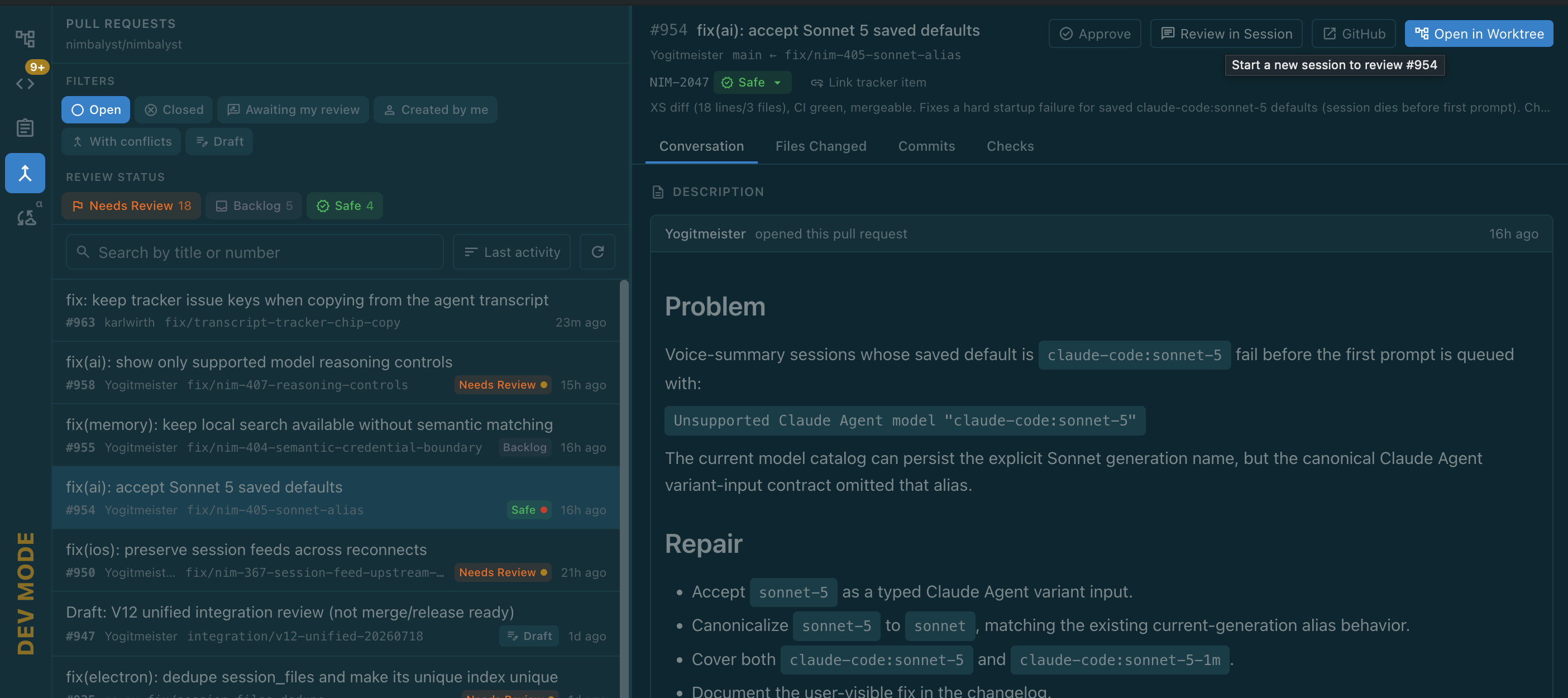
* **Pull Requests connect to trackers and sessions.** Review-status badges and filter chips, one-click jumps between a PR, its tracker item, and its review session, link any tracker item to a PR, and merges update linked tracker items automatically.
* **Tools & Token Cost settings panel.** See every tool group's estimated context-token cost and load policy in one place, linked from the AI panel's token meter.
* **Unread indicators** highlight trackers that have changed since you last viewed them.
* **Maximize the editor.** Double-click an editor tab to expand the editor area in Files and Agent modes, and double-click again to restore.
* **Chat input pills.** Slash commands, @ file references, and @@ session mentions now appear as tinted pills anywhere in a message; slash-command pills stay clickable to show what each command does and open its source.
* **New built-in extensions:** Browser, Calc Sheets, GitHub Issues Importer, and Memory, plus refreshed versions of the existing ones.
### Improvements
* **Trim the session model picker.** Each provider's settings page has checkboxes to hide models you don't use, and the Claude Agent SDK and Claude Code CLI sets can be enabled independently.
* **Slightly reduce per-request token usage.** Agent sessions omit tracker guidance when trackers are off and defer more MCP tool definitions.
* Voice mode replies more briefly and no longer asks you to approve tasks that auto-send after the on-screen countdown.
### Fixes
* Windows: Claude Code no longer breaks after an app update, and a broken install now shows an honest "repair Nimbalyst" message instead of a misleading libc error.
* Scheduled interval automations now fire on time, and one whose due time passed while the app was closed runs once on next open.
* Background agents launched by a session are no longer killed when the session's turn ends.
* Claude Agent sessions recover a turn whose stream closes mid-response instead of losing the reply, and Claude Code sessions end with an error instead of spinning forever on a stalled stream.
* Corrected issue where some models may be missing from model picker.
* Meta agents and their sub-agents group together on mobile in real time, and iOS session badges correctly label Fable 5 and Sonnet 5 sessions.
* Open custom-editor tabs (Replicad, Excalidraw, and more) refresh when an agent edits the file instead of staying stale.
* Tracker item content no longer renders as raw JSON after closing and reopening, plan items show fresh timestamps, and spurious timestamp churn is stopped.
* Git branch watching no longer crawls the entire workspace, cutting CPU and disk churn in large projects.
* Fewer lost project states on reopen.
* Marketplace extension installs no longer hang mid-extraction.
* Settings navigation reaches the Marketplace in project scope and Privileged Capabilities in all scopes.
* Interactive input prompts stay interactive even if you take more than five minutes to respond.
* Mockup share links render full-size in the browser.
* Clicking a relative file link in a markdown doc opens the file in a tab instead of a blank window.
* Mobile document sync propagates .md deletions across devices and reconnects after you change sync settings.
* The mobile project list no longer drops or wipes projects when the sync snapshot briefly shrinks.
***
## v0.66.7 - July 1, 2026
**A major trackers upgrade, expanded voice mode (still alpha), reduced baseline context usage thru deferred MCP tool schema loading, latest Claude models and a long list of fixes**
Please star us on [GitHub](https://github.com/nimbalyst/nimbalyst). Thanks!
### Trackers Enhancements (Major)
* Reference a tracker item from any document or AI chat: type # to pick an item and insert a live chip showing its current status and title. The AI links tracker items as clickable chips too.
* Link tracker items to one another with relationship fields, including automatic "Linked from" backlinks.
* New tracker views: a tag board, saved views (filter and group), and kanban columns that follow each type's custom status order.
* Customize or reset a tracker type's schema from Settings, with a drift warning when it diverges.
* Edit and delete your own tracker comments.
* Share individual plans (and other full-document trackers) with your team - the shared copy keeps its status, lifecycle, and body in sync, including changes made offline.
* Control whether AI agents can use your trackers per project with an "AI Agent Access" toggle.
* Optional "Shared" column in the tracker table shows which items are shared with the team. (Note: eventually we will charge for shared team trackers and collaborative files)
* New nim companion CLI for trackers: list, create, update, comment on, archive, and import items from the terminal.
### Context reduction, improved token usage
Defer MCP tool schema loading to cut baseline context usage.
### Voice Mode (early Alpha)
* Start a new coding session by voice - say "create a new session" on desktop or mobile.
* On mobile, find sessions by topic, switch sessions, summarize a session, answer a session's pending question by voice, and send coding tasks to your desktop.
* The mobile floating mic shows what the voice agent is doing, with clear Pause and Cancel buttons.
* Choose the voice model and reasoning level in Voice Mode settings.
* Requires OpenAI API key in Settings
### Other New Features
* Claude Sonnet 5 and Claude Fable 5 are now selectable across the Claude chat, Agent, and Code CLI providers.
* Custom completion sounds - pick your own audio file to play when an agent finishes a turn.
* /session-cleanup command tidies your Sessions board with phase corrections and archive suggestions.
* Dart syntax highlighting in the Monaco editor.
* Claude Code CLI sessions store and sync far less redundant data.
* New AI sessions appear immediately instead of waiting for sync to connect.
* Contextual tips now fill empty AI sessions immediately.
* Updating a tracker item no longer links it to the current AI session unless you ask.
* Linked sessions now appear at the top of a tracker item's detail.
### Fixes
**Trackers**
* Linking tracker items now reliably updates both sides and no longer goes stale or drops other links after syncing, including when the AI sets the link.
* Tracker relationship fields no longer get cleared or dropped by concurrent syncs.
* Tracker status changes now work for custom types that rename their workflow status field.
* Tracker reference links (nimbalyst:// chips) in chat no longer render blank.
* Reopened secondary projects now scope the tracker list to the correct project.
* Tracker type counts no longer briefly flash "0" while data is still loading.
* Fixed tracker field corruption on the SQLite backend caused by merging JSON updates.
**AI & sessions**
* Claude Code background sub-agents are no longer killed when the lead agent's turn ends.
* AI session status no longer stays stuck on "running" in the mobile app after a turn finishes on desktop.
* Another session can read an OpenAI Codex session's last reply through the session-summary tools.
* Windows: Claude Code CLI chat sessions now start reliably, including with multi-line system prompts.
* Extension AI tools (such as OpenSCAD and Replicad) no longer revert recent file edits by saving stale content over them.
**Voice**
* Voice mode always speaks in your configured preferred language, including on mobile.
* The iOS voice agent reliably speaks its response after a coding agent finishes a task.
* Voice replies no longer speed up, skip, garble, or overlap near the end of longer responses.
**Other**
* Toggling an extension on/off via an AI agent now actually restarts its backend, and importer crash errors include the real failure reason.
* Git worktrees with branch-style names and a project's own subfolders inherit the parent project's agent permissions instead of re-prompting.
* On Windows, clicking a file link in chat opens the file instead of a blank window.
* Stop prompting to run the Gemini backend at startup; it now starts only when you use Gemini.
* Committing no longer triggers a burst of slow database queries that briefly hitched the app.
* Desktop release builds now bundle the application correctly.
***
## v0.65.4 - June 15, 2026
**New model picker to use Claude's Pro and Max in native Claude terminal integrated with Nimbalyst, embeds, actions, browser**
Nimbalyst v0.65.4 is here with support for a new mode of using Claude's Pro and Max subscription in a native Claude terminal integrated with Nimbalyst, embedding of other file types in markdown, actions, and in-Nimbalyst browser, a built-in PR review monitor, and more.
### Anthropic June 15 Agent Credits and Nimbalyst's new CLI (Subscription Terminal Mode)
Starting June 15, 2026, Anthropic is changing how Claude Agent SDK usage works for Claude subscription plans. SDK usage moves into a separate monthly Agent SDK credit. Anthropic's full writeup, including eligibility, credit amounts, and billing behavior, is here: [Use the Claude Agent SDK with your Claude plan](https://support.claude.com/en/articles/15036540-use-the-claude-agent-sdk-with-your-claude-plan).
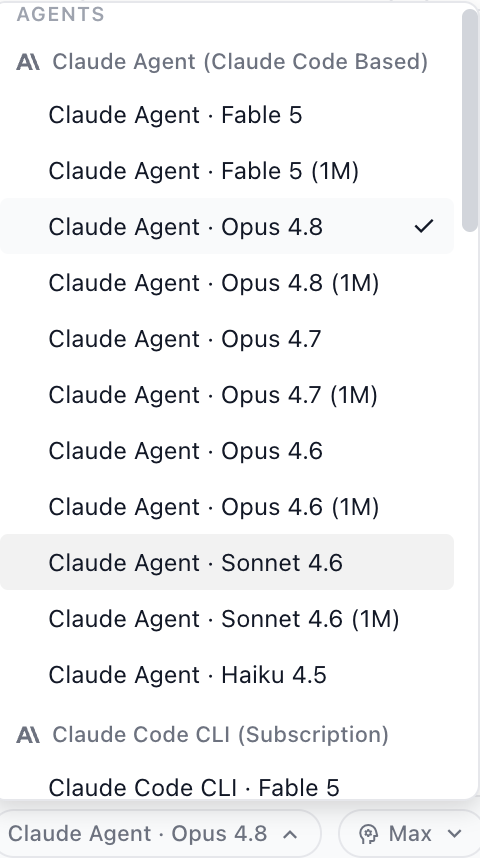
In Nimbalyst, now when you pick a Claude model in Nimbalyst, Claude appears under two groups in the picker. Both are Claude Code based and both list the full model range. Your options are:
**Claude Agent (Claude Code Based)**
* What it is: the in-app agent built on Claude Code Agent SDK
* Billing and auth: uses your configured Anthropic API key and Anthropic's Agent SDK billing path.
* Best for: API billing, and Team or Enterprise setups.
**Claude Code CLI (Subscription / Terminal Mode)**
* What it is: Integrated Claude Code in embedded terminal sessions while Nimbalyst layers in session monitoring to support additional Nimbalyst features on top. Uses your local install of Claude Code.
* Billing and auth: uses your Max or Pro subscription login as it is running in Claude's native terminal app
* Best for: Max or Pro subscribers who want subscription-billed Claude Code behavior
* Shortcuts: Ctrl Shift \` will open and close the embedded Claude Code Terminal window
### Embed other file types in Markdown
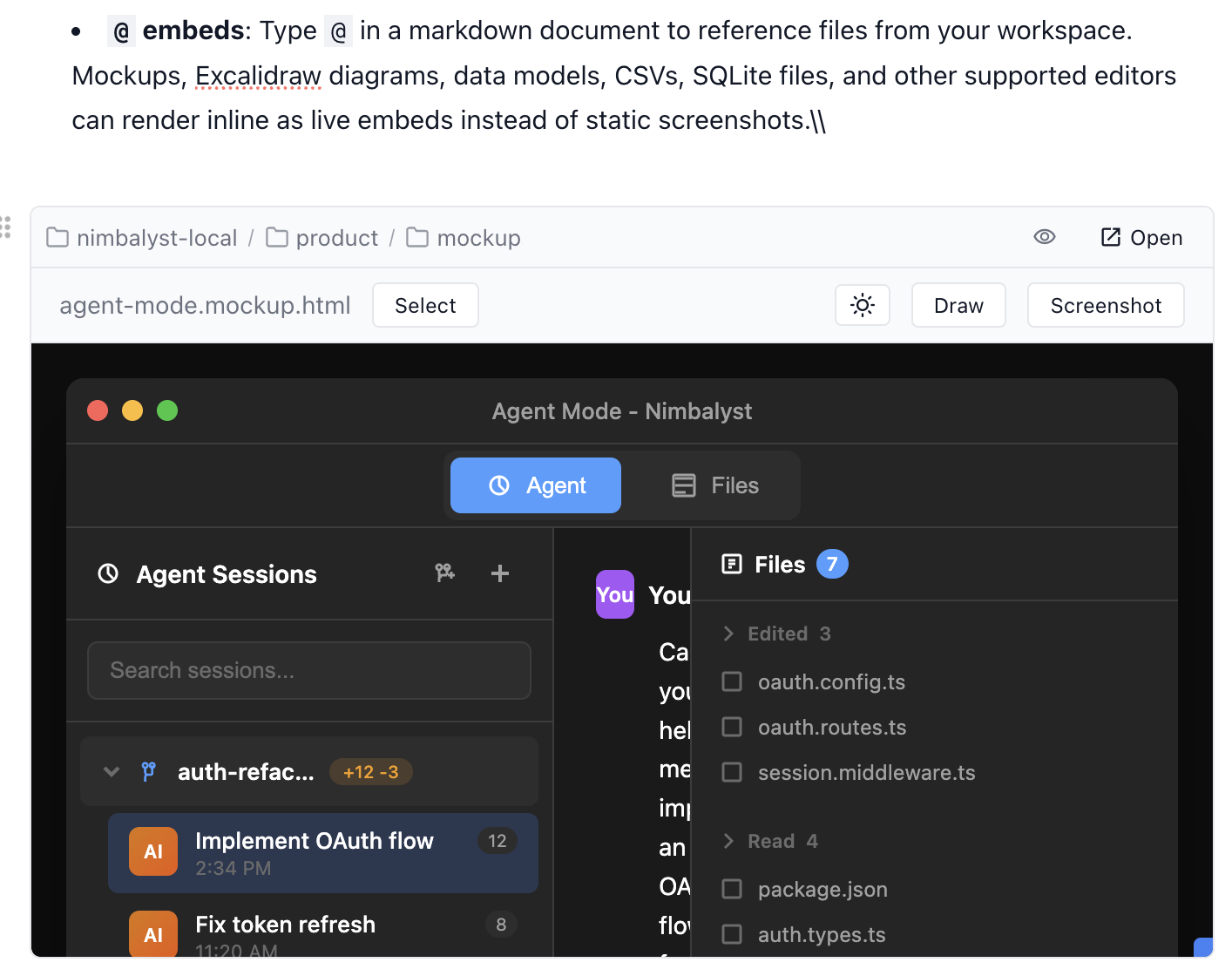
Type @ in a markdown document to reference files from your workspace. Mockups, Excalidraw diagrams, data models, CSVs, SQLite files, and other supported editors can render inline as live embeds instead of static screenshots.
### Actions
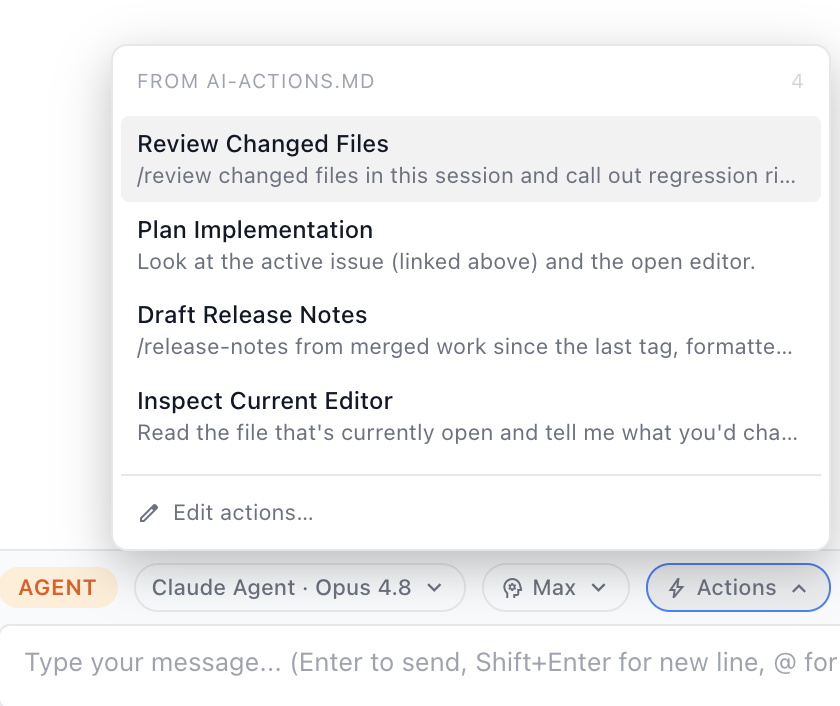
Actions are reusable prompt presets in the AI composer for workflows you run often. Use them for repeatable prompts like review, planning, research, or launching a sibling session with the right model already selected.
### In-Nimbalyst Browser
Nimbalyst includes a native Chromium Browser surface for local previews, web apps, and agent-controlled browsing. Agents can navigate, click, type, inspect pages, and take screenshots when a workflow needs the web.
### Other New Features
* Built-in PR review mode (Cmd/Ctrl+U): browse, filter, diff, comment on, and approve/merge PRs using your existing gh login, or open a PR into a worktree with an agent session.
* Browser tabs for HTML preview (Cmd+Shift+B), plus browser tools that agents can drive.
* Auto session mode for Claude Code: safe actions run silently and only uncertain ones prompt, when workspace trust is set to "Allow All" and run AI classifier is enabled.
* Quick Open's Sessions tab can now search session contents.
* More support for clickable file paths in AI transcripts.
* Refresh button in the Files Mode sidebar header.
### Fixes
* Effort selector not always working.
* Voice mode connects again after OpenAI retired the Realtime Beta API (desktop and iOS).
* "Allow All" permission mode auto-approves everything again; the Claude Code safety classifier is now opt-in per project.
* No more Electron crash when a worktree produces a filesystem-event storm.
* Fixed the whole app freezing permanently after closing a terminal that had rendered emoji output.
* Auto-commit retries when another git process briefly holds the index lock, so concurrent sessions commit on the first try.
* In Multi-Project mode, a project's tracker list no longer shows another open project's items.
* Docs a session just created sync to mobile immediately, and their transcript links wait for the doc to sync instead of dead-ending.
* Renaming or moving a project no longer fails and rolls back on sqlite.
* Quick Open remembers your filter selections, and file-mask filters return matching results.
* The chat box no longer leaks keystrokes into a file an agent is editing.
* Session images can be copied; transcript images are zoomable, uncropped, and persist across reloads.
* Local markdown links open correctly, resolving relative paths from the current document.
* HTML preview renders again instead of a blank pane, and in-workspace files on Windows are no longer rejected over drive-letter casing.
***
## v0.63.9 - June 2, 2026
**Claude Opus 4.8, unified Quick Open, Session and Large Project Performance and Bug Fixes, Calc Sheets**
### Claude Opus 4.8 supported
### Unified Quick Open
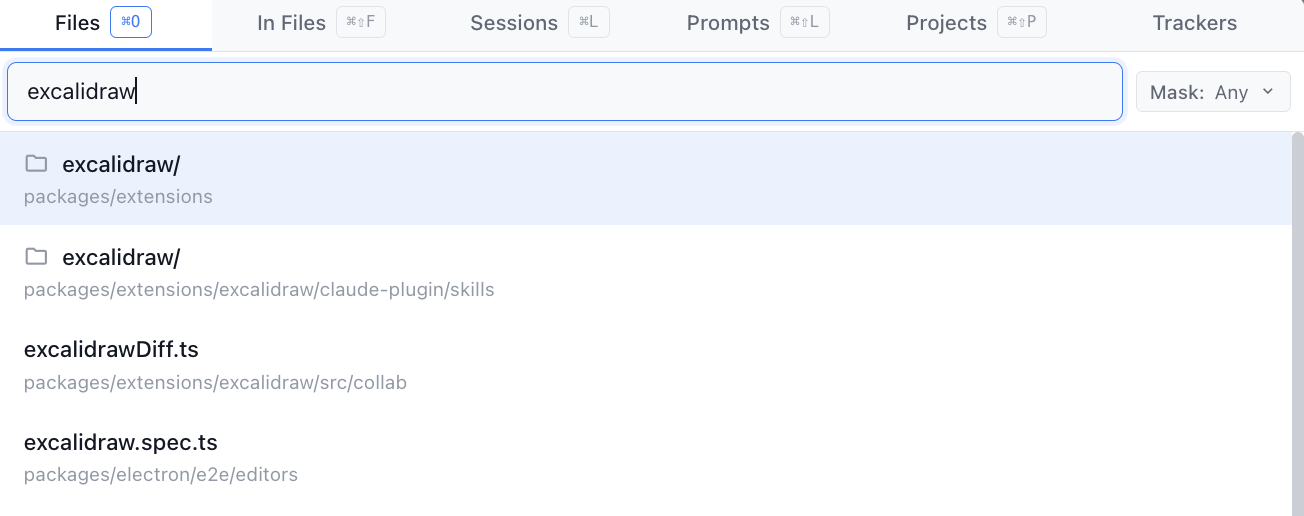
* Files, Sessions, Prompts, Projects, and Trackers now live in one tabbed launcher with better filters
* Cmd-O to open it in Files. Other Commands are listed in the launcher
* Quickly find the session, prompt, etc you were looking for
### Performance Improvements
* AI session performance is better under load. Streaming transcripts, background widgets, search, and long-running sessions put less pressure on the renderer, database, and sync pipeline.
* Startup and large-workspace responsiveness improved. Shared-tracker startup, prompt search, quick open, and other heavy paths do less blocking work.
### Calc Sheets
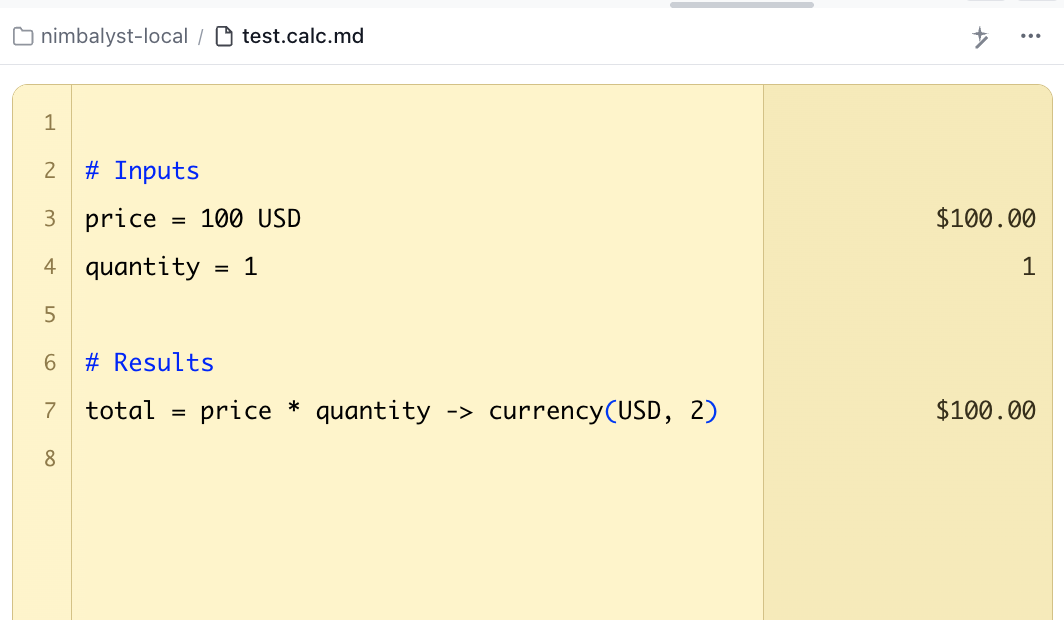
New .calc.md documents combine spreadsheet-style results with plain-text editing, units, currency handling, and assertions.
### More Contextual Guidance
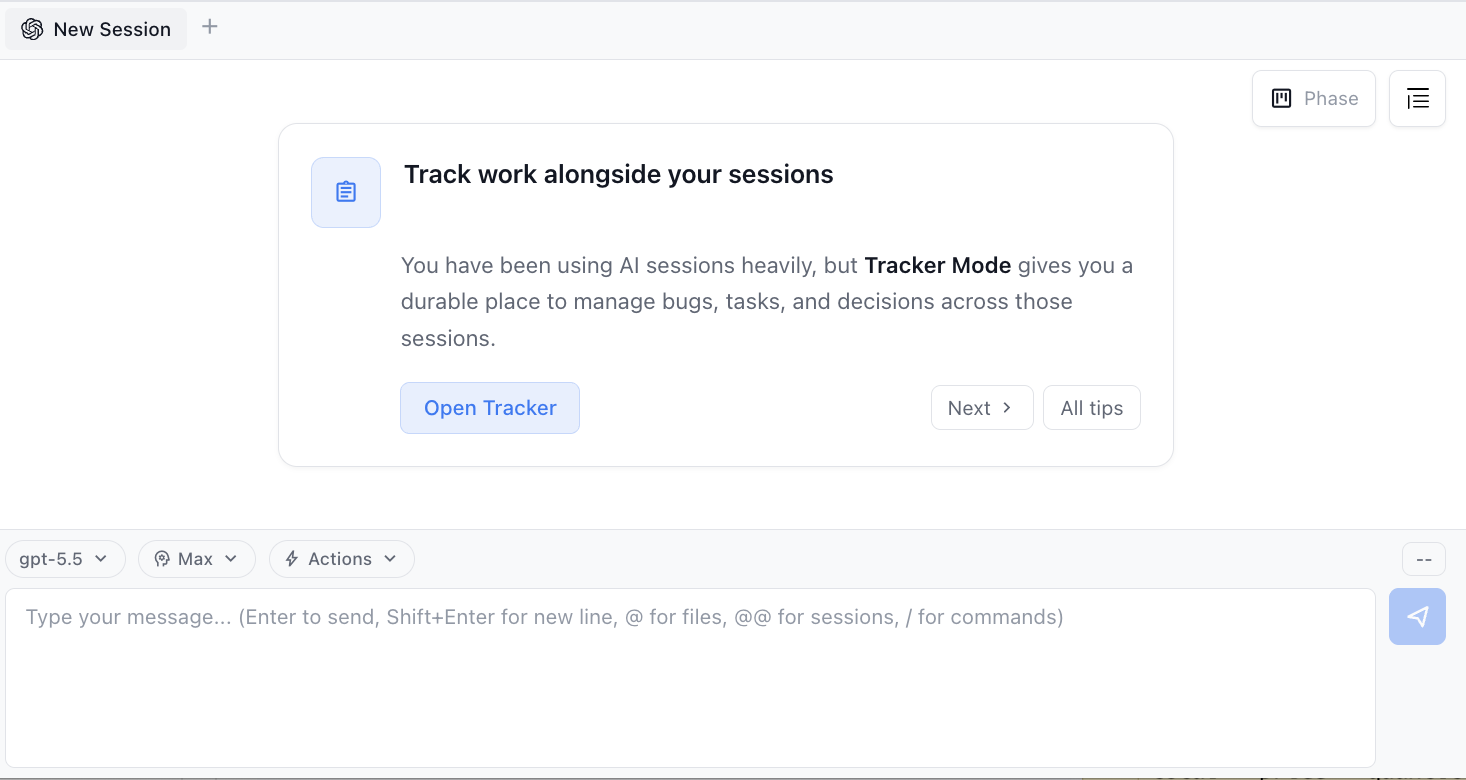
Empty AI sessions and core surfaces now surface contextual tips for worktrees, trackers, shortcuts, themes, shared docs, mobile pairing, and more.
### Worktree AI flows are smoother
Worktree sessions now support manual vs smart commit mode, Commit with AI, and easier worktree-specific session search with `#worktree`.
### Fixes and Update
* AI edits to large markdown files with inline base64 images no longer trigger multi-minute beachballs.
* Tool calls no longer get stuck at "running" when multiple AI sessions are open.
* Parent workstream sessions now bubble up correctly when child sessions become active.
* New Worktree no longer stays disabled because of early git-probe races.
* Session history no longer pegs the renderer during heavy AI streaming.
* Theme readability issues were cleaned up across light and dark themes, including Calc Sheets error rows and primary-button label contrast.
***
## v0.60.1 - May 13, 2026
**Multi-project left rail, rename AI sessions, voice-mode, Codex parity, / skills, and tons of fixes**
### Nimbalyst's Mission
We want to make you as effective as possible as you work with coding agents like Claude Code, Codex. So we are building:
* Visual editors and task/session managers where you can work with your agents, see and approve what they are doing.
* Integration across agents, files, editors, trackers, and sessions
* Collaboration for builders working together with each other and agents. If you would like to be a design partner for collaboration, email me at
### Multi-Project Left Rail
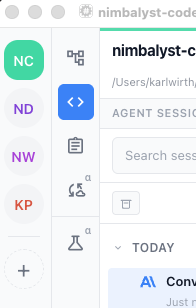
* A new Discord-style vertical rail lets a single Nimbalyst window host several workspaces side-by-side, with instant switching.
* Inactive projects stay warm: AI sessions keep streaming
* Cmd/Ctrl+1..9 activates the Nth project; Cmd/Ctrl+Shift+W closes the active one
* Turn this on in User Settings > Advanced > General
### Rename AI sessions, Preferred Agent Language
* Sessions can now be renamed (right-click an existing session).
* A new "Preferred Agent Language" setting on the Agent Features panel steers AI-generated session names toward your chosen language for both Claude Code and other providers.
### Codex Parity and / commands
* Codex file\_change tool calls now render as inline red/green edit cards in the transcript, matching how Claude's Edit tool already renders.
* Codex slash command autocomplete and a unified slash-command picker across Claude Code and Codex.
* Skills and commands written for one agent run in the other; workflow discovery is unified across providers.
* Codex reasoning items map into transcript thinking blocks.
### Fixes and Update
Thank you to the Nimbalyst community for all the bugs, ideas, features, and PRs.
All the fixes in 0.60.1 can be found [here](https://github.com/nimbalyst/nimbalyst/releases/tag/v0.60.1). There are a lot.
***
## v0.58.14 - April 30, 2026
**OPEN SOURCE!! + Extensions + Opencode + more**
Nimbalyst v0.58.14 is here and we just open sourced Nimbalyst!!! As well the extension system is live. Try an extension. Build your own. We added OpenCode and Copilot as supported coding agents in Alpha.
### Nimbalyst is Open Source! Star us on GitHub!
* We want to build Nimbalyst with you and for our community.
* Our GitHub is
* Please star the project so more people find it.
Licensing: the Nimbalyst desktop app and iOS app are MIT. See [LICENSING.md](https://github.com/nimbalyst/nimbalyst/blob/main/LICENSING.md) at the repo root for the full picture.
### Nimbalyst on Hacker News and X
* We launched Nimbalyst on Hacker News and X today
* Please like or retweet the X [thread](https://x.com/nimbalyst)
### Support for OpenCode, Codex via ACP, and Copilot
* **OpenCode:** Run OpenCode inside Nimbalyst with your own providers and models from opencode.json, including local LM Studio.
* **Codex (via ACP):** OpenAI's Codex CLI now can optionally run over the Agent Client Protocol.
* **Copilot:** GitHub Copilot CLI plugs into Nimbalyst as a coding agent alongside Claude Code, Codex, and OpenCode.
### Extension System
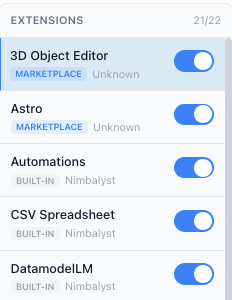
* The extension system is the core for Nimbalyst. Editors, file handlers, UI panels, and AI-facing features all plug in through the same extension lifecycle instead of being hardcoded into the core app.
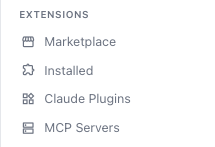
* All of our core editors are actually built as extensions, and the marketplace is now open. Settings > Marketplace already includes Astro website editor, Mindmap, Slides, 3D Object editor, Namenym, and more.
* You can build your own visual, agent-native Nimbalyst extensions. Read the docs and ask the agent to help you scaffold one.
* The Extension SDK now declares `nimbalyst.minAppVersion` (0.58.5) so you can see the minimum host version per SDK release, and `@nimbalyst/extension-sdk` ships to npm with provenance on every tag.
### Alpha features like Voice Mode
* Alpha features show up in the UI with a (Alpha) next to them for you to enable and use if you want.
* Note they are more buggy. We'd love your feedback and if you are a developer, please help us improve them.
* Some Alpha features include: Voice Mode, Meta Agent, and the new Agents mentioned above
### Guided bug reporting from inside the app
Help > Send Feedback now spawns a Claude Code session that helps you draft a bug report or feature request, anonymizes the result, and files it on GitHub against the public repo.
There is no PostHog feedback survey anymore. If you can't file it on GitHub, email it to .
### Fixes and Update
* **Stable terminal bottom panel across reloads.** Preserves screen state and cursor, avoids destructive scrollback loss and panel hydration races.
* **AI red/green diff stays put on open files.** Two races could clobber the in-flight diff or apply the same tag twice, making green-addition decorations disappear while deletions still rendered red. Both paths now coalesce correctly so the diff in flight wins.
* **@@ session typeahead matches the session list visuals.** Renders the actual provider icon (Claude, OpenAI, Codex, etc.) for each referenced session instead of a generic chat bubble, with a colored phase badge matching the main session list.
* **Referenced/Edited file lists remember their collapsed state.** They used to reset to expanded on every chat remount; now persisted per gutter type to workspace state.
* **Monaco diff gutter glyphs render correctly.** The codicon font was failing to load, so +/- markers showed as tofu boxes on changed lines. Also restyles the diff gutter with faint line numbers, generous spacing, and clearer add/remove markers.
* **History dialog diff preview no longer hangs.** When a snapshot loads as null/empty or its metadata is missing, the spinner now clears instead of hanging indefinitely. The Rich/Raw view toggle is promoted to the top header for markdown files in both Diff and Full modes.
* **"Waiting for input" indicator survives mode switches.** Navigating away from Agent mode and back used to regress the question-mark indicator to a running spinner even when the AI was still blocked on user input.
* **AskUserQuestion drafts persist across unmounts.** Selections, the "Other" toggle, and "Other" text were lost when switching AI sessions or when the transcript's virtual scroller unmounted the widget off-screen. Now held in a per-prompt atom family.
* **@ mention picker shows recent files first.** When the AI input's @ typeahead opens with an empty query, recently viewed files appear instead of the alphabetical top-level listing. Once you type, fuzzy search takes over.
* **MIME types for chat attachments.** `.log`, `.ts`, `.py`, `.yaml`, and \~70 other text-based extensions are now recognized correctly.
***
## v0.58.3 - April 23, 2026
**Sessions Fix, Training Video**
Nimbalyst v0.58.3 is here with fixes for Session Resume and more.
### Fixes over the last week (3 small releases)
* Fixed Claude Code sessions not resuming when used with custom hooks
* Changing the custom Claude Code binary path in Settings now takes effect immediately without restarting the app.
* Put Opus 4.6 back into the app (was taken out when we added 4.7)
* Fixes for Codex not working for some users
* Linux AppImage issues fixed
### Video training on using Nimbalyst
If you are new to Nimbalyst, this 30 minute [YouTube video](https://www.youtube.com/watch?v=rwV5dxuC-Mo) is a good introduction.
***
## v0.56.17 - March 26, 2026
**Windows users redownload. Fixes for large images, Codex API key, Claude context usage count, excalidraw, spellchecker, and more.**
### Windows Users Need to ReDownload to Update!
Auto-updater fixed: Windows auto-update no longer rejects due to certificate mismatch. However, Windows users will need to go to and redownload and re-install Nimbalyst (after this the auto-updater will work). Your data will be preserved.
### Key Bug Fixes
* **Image paste for large files** - Claude Code large image attachments restored
* **Codex API key and subscription fix** - Removing a Codex API key now takes effect immediately; key is respected without breaking CLI auth; clear error messages on test connection
* **Claude context usage accuracy** - Updated claude-agent-sdk to v0.2.81, fixing inflated token usage reporting; context window indicator now correctly shows "1M" instead of "1000k". Fixed an issue where the wrong context size would be shown after subagents are used
* **Excalidraw** - Excalidraw is working again
### Improvements
* **Default to Opus 4.6 (1M context)** - New users start on Opus 4.6 with 1M context window; existing Opus users auto-migrate
* **Project quick open dialog** - Quickly switch between projects; Window menu discoverability improvements
* **Sleep prevention mode selector** - Choose between off, always, or when plugged in
* **Spellchecker toggle** - New setting to disable the spellchecker
### Fixes
* **Worktrees** - New worktrees no longer show a false rebase count
* **Claude Agent settings** - Setting toggles no longer collapse unexpectedly
* **Files panel** - "All Uncommitted Files" mode no longer shows committed session files
* **ExitPlanMode** - Now blocks for user confirmation instead of auto-allowing
* **OS file opens** - Now route to the frontmost workspace window
***
## v0.56.6 - March 19, 2026
**Opus/Sonnet 1M, /skills show up now, mobile app keep awake, planning mode fixes, perf/reliability**
### Improvements
* We now support Opus/Sonnet 1M
* Many of the mobile app issues were because people's desktop was going to sleep. You can now set a mobile app keep awake in the settings that will enable sync to continue.
* Plan mode had some problems. It has been re-implemented to just use what Claude Code and Codex do through the SDK.
* Slash command typeahead now shows all skills (user, plugin, and extension) after first response. \[Think we fixed this this time]
* Force-paste plain text without attachment conversion with Cmd+Shift+V
* Hide or show navigation gutter buttons via context menu
* PromptQuickOpen scrolls the transcript to the selected prompt
### Fixes
* Improved handling of large projects, reducing pauses
* MCP connections stay alive during long tool waits via SSE keepalive pings
* AI sessions with pending questions now resume correctly after app restart
* Sessions no longer get stuck as "running" after a git commit proposal
* AskUserQuestion no longer hangs when routed through the MCP server path
* Duplicate last message no longer appears when loading a session transcript
* Queued prompts now continue correctly after guarded turn completion
* File tree loading spinner no longer spins forever on empty workspaces
***
## v0.55.31 - March 13, 2026
**Mobile App for Nimbalyst!, Fixed skills and project startup, support Enterprise SSO**
We've just shipped Nimbalyst v0.55.31 with Mobile App support to remotely manage Codex and Claude Code sessions. We fixed Slash command typeahead, Claude skills in the slash command, speed of project startup for large directories, and mobile app sync stability. We support Claude Enterprise SSO.
### Need to redownload for Windows
Unfortunately, we missed a step in the migration to an improved signed version of Nimbalyst on Windows. Sorry about that!
If you are on Windows, auto-update won't work. You'll need to download the latest version of Nimbalyst from and install it again. This is a one time problem and it will install in place, preserving your data and settings. Good news is the Windows install is much easier.
### Mobile App Support
Nimbalyst Mobile for Codex and Claude Code is now available, a companion app for your desktop workspace:
* Session dashboard: see which agents need you and which are still working
* Unblock agents: reply to questions via text or voice, agents resume immediately
* Visual diff review: swipe through changes, tap to approve
* Queue next tasks: keep the pipeline full, don't let agents sit idle
* Push notifications: agents tell you when they need you
### Improvements and Fixes
* Slash command typeahead now shows all skills (user, plugin, and extension) after first response
* Claude skills appear consistently in the slash command typeahead
* Improved speed of project startup for large directories
* Mobile app sync stability
* Claude Enterprise SSO is supported
### Fixes
* Deleted files, attachments, assets, and themes now move to system trash instead of permanent deletion
* Improved sessions getting stuck in 'running' state
* Codex MCP transport config conflicts resolved
* Provider/model mismatch in child session creation prevented
* Claude gutter usage indicator improvements
* Reduce duplicate notifications from Desktop and Mobile iPhone Mirroring
* "Keep All" now preserves content correctly when approving multiple diff replacements in sequence
* Diff markers no longer appear incorrectly on list items with bold text
* Dropdowns and popovers position more reliably across the app
***
## v0.55.25 - March 7, 2026
**OpenAI Codex improvements including GPT-5.4 support, @@ session mentions in a chat, and Windows code signing**
I did a 30 minute livestream of how to use Nimbalyst. If you want a tutorial and to know about all the features and shortcuts, watch on [YouTube](https://www.youtube.com/watch?v=0mKtYFbVZTE\&t=6s) or [LinkedIn](https://www.linkedin.com/events/7434634516851302400/).
### OpenAI Codex Improvements
* **GPT-5.4 model support** - full support for OpenAI's latest model
* **Configurable thinking level for Codex** - control thinking depth for Codex sessions
* **Interactive prompts** - AskUserQuestion now works in Codex sessions
* **Per-provider MCP servers** - enable MCP servers independently for Claude and Codex
### Session Mentions and References
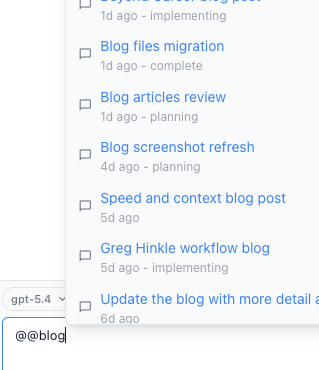
* @@ typeahead in chat input to reference other AI sessions
* Drag-and-drop session mentions onto chat input
* Drag files as @-mentions from the file tree or edited sidebar into AI input
### Workspace and Session Management
* **Worktree auto-archive** - skip confirmation when the branch is clean and merged
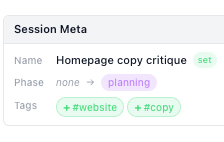
* **Session meta widget** - rich display of tag, phase, and name transitions
### Windows
Code signing via DigiCert KeyLocker for Windows builds
### Improvements and Fixes
* Checkbox state changes no longer silently lost in diff mode
* Session provider icon correctly reflects the active provider
* Large session exports no longer freeze the app
* AI session state updates scoped to the owning workspace (no cross-workspace interference)
* AI file edits in gitignored directories now properly detected
* Selected session and workstream persist across app restarts
* Bulk archive correctly archives all selected sessions
* Table resizer crash on stale cell references fixed
* Fixed Monaco background for Monokai theme
***
## v0.55.9 - March 3, 2026
**Kanban for your sessions, Trackers for your Tasks, Fixed @ file, subagents and worktree perf**
We've just shipped Nimbalyst v0.55.9. This release brings Kanban for your sessions, trackers for your tasks, plans, etc (already had this but making it first class), a system tray icon, fixed @ mention files and fully fixed sub-agents.
For those who want to understand the full power of Nimbalyst (or just get more out of it :) I'm going to do a live demo, Thursday, March 5 at 11am Eastern. Follow and chat on [YouTube](https://www.youtube.com/watch?v=0mKtYFbVZTE) or [LinkedIn](https://www.linkedin.com/events/7434634516851302400?viewAsMember=true).
### Agent mode Kanban for Sessions
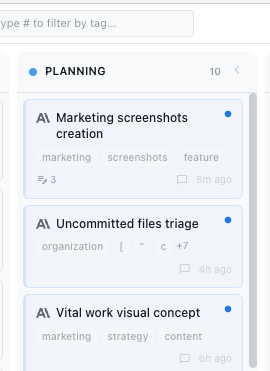
* Agent Mode now has a kanban board for your Sessions. (Cmd+Shift+K) with keyboard navigation, collapsible columns, and drag-drop between phases.
* Coding agent auto-tags your sessions and moves them through Kanban state
* You can tag them and move them as well
### Tracker Mode
* We've had this for a while but are starting to integrate it first class. Its moved up to the top left.
* Add tasks and manage them and their state manually or in your agent chat.
* Use your tasks to keep track of your and your agents work.
* Have your agents initiate work based on your tasks
### System Tray Icon
System tray menu shows session status with click-to-navigate and dock badge for sessions needing attention.
### Major Fixes
* Sub-agent transcript display and tool name rendering fixed. We think this fully finally fixes sub-agents
* @ mentions shows files immediately on typing "@" and supports directory mentions with folder icon
* Performance improvements for worktrees
### Improvements and Fixes
* Unified session context menu across sidebar, kanban, and tabs.
* Project rename uses an atomic operation to prevent data loss.
* Session drag-drop onto a standalone session now creates a Workstream.
* Cmd+Shift+N shortcut to create a new AI session from any mode.
* "Start a new agent session" from documents are pre-populated with an @file reference to the document.
* Maximize button in the chat sidebar to open the current session in full agent mode.
* File count and +/- line stats shown in agent turn summary (e.g., "Finished in 6m 57s - 3 files +45 -12").
* Click/tap-to-copy on inline code blocks in transcripts with visual feedback.
* Rate limit warning and blocked state widgets with clear styling.
* Log rotation on startup to keep log files manageable.
* App update restart is deferred until all active AI sessions finish.
* Disabled AI providers no longer attempt model fetching on startup.
* Clipboard copy no longer fails silently in the editor.
* QuickOpen now supports folders to reveal folders in the file tree instead of failing to open them.
***
## v0.54.19 - February 26, 2026
**Codex GA, Sub-agent improvements, file-sharing improvements**
We've just shipped Nimbalyst v0.54.19. This release brings full Codex support, fixes to sub-agents, shareable sessions and markdown links.
### OpenAI Codex Integration
* Codex (OpenAI's coding agent) is now fully supported
* Codex in Nimbalyst now supports red/green diff
* Download the Codex CLI and login there
### Sub-Agent and Teammate Fixes
* Teammates and sub-agents now have full lifecycle management in Nimbalyst
* See the work and track sub-agents and teammates as they go
* Permission approvals now work for tool calls inside teammates
* Improved large transcript performance for sub-agent-heavy sessions (faster load/render, less UI lag).
### File and Session Sharing
* Sessions and Markdown files can now be shared through a link
* Anyone with the link can view the file or session
* Data is encrypted by the URL, Nimbalyst can not see your data
* Requires a free Nimbalyst account
### Improvements
* Added new session-context MCP tools so agents can query recent sessions, workstream overviews, session summaries, and workstream-edited files.
* Agent sessions can choose a model for git conflict resolution.
* File-to-tool-call matching is more stable and accurate.
* Session context menus are now consistent between grouped and plain session views.
* Usage indicators stay visible in more cases, including low usage and load-error scenarios.
* Shell-wrapped bash commands are unwrapped for cleaner file tracking and transcript display.
### Fixes
* Auto-commit UI now reports success correctly and avoids false staging errors.
* Failed MCP database queries no longer break later database operations.
* Process spawn EBADF failures no longer cascade into broader session failures.
***
## v0.53.13 - February 19, 2026
**Sonnet 4.6, Codex Beta, shareable links for markdown/sessions, performance improvements**
We've just shipped Nimbalyst v0.53.13. This release brings Claude Sonnet 4.6 support, shareable session and markdown links, multi-agent fixes, Codex support in Beta, and performance improvements.
### Claude Sonnet 4.6 support
### Shareable Session Links
* Share AI sessions and markdown files as links
* Right click on a session or markdown and select share link
* Paste the link into slack, X, email to share
* NOTE: Anyone with the link can see your session or markdown file
* Requires creating a free Nimbalyst account
### Sub-Agent and Teammate Fixes
* Extension MCP tools now load in worktree sessions
* Teammate/background agent output no longer leaks into main transcript
* Asynchronous sub-agents and teammates now have their lifecycles managed properly
### OpenAI Codex Integration (BETA)
* Go to Settings > Beta features and toggle these on if you want to use them
* Full SDK-based Codex provider
* Has most Nimbalyst features
* Does NOT yet support red/green diff, change tracking
### New Features
* Auto-approve option for git commit proposals
* Auto-continue AI sessions after restart
* Enhanced quick open dialogs with cross-dialog navigation and file search
* New file creation rendered as syntax-highlighted preview instead of all-green diff
* Elapsed time shown at end of completed agent turns
### Performance
* Virtualized session list for faster startup with many sessions
* Session list items no longer re-render unnecessarily
* Various other performance improvements for long session lists
### Improvements
* File tree moves to the right file better
* Edit tool now shows red/green diffs after agent refactoring
* Drag-and-drop standalone sessions into workstreams
* Git commit widget shows actual commit date instead of render time
* @ mention file search now finds all workspace files
* Transcript scroll-to-bottom button now clickable
* Ctrl+\` terminal shortcut works correctly on macOS
* Frontmatter UI appears immediately after Set Document Type
* Claude Code subprocess now receives full shell environment
* Global-scoped extension tools visible without an active file
* Excalidraw MCP tools always visible to Claude Code agents
* Dark mode variants now apply correctly to descendant elements
### Other Fixes
* Sessions with more than 5000 messages now load fully
* Worktree path used correctly for git commit operations
* CRLF line endings normalized in markdown import (fixes mermaid/code block parsing)
* Database browser cell modal closes on Escape key
* Blocking prompt icon clears after commit and shows correctly in groups
* Prevented bulk sync from clobbering isExecuting and lastReadAt state
* Debounced session data reload during active streaming to prevent flickering
* YAML frontmatter stripped from markdown new-file previews
***
## v0.52.60 - February 6, 2026
**Claude Opus, Agent teams, and bug fixes**
We've just shipped Nimbalyst v0.52.60.
### Major New Features
* Claude Opus 4.6 model support added
* Agent Teams - Claude Code sessions can now spawn teammate agents with distinct progress indicators, enable this in the Claude Agent settings
### New Features
* Effort level selector for Opus 4.6 sessions to control reasoning depth
* Claude Usage indicator with pace tracking to monitor API costs
* Worktree merge now allows uncommitted changes
* OS notifications when AI sessions are blocked waiting for user input
* Smart commit detection for worktree rebase using git cherry
### Improvements
* Large text attachments handled more efficiently in context window
* Worktree rebases use file-level conflict detection
* Diff/Full view toggle in file history dialog
* Pending-review dot indicator replaces the Keep All banner in git repos
* Inline rename for worktrees and sessions
* Deleted and renamed files shown in uncommitted files list
### Fixed
* Transcript search fixed
* Git panel refresh on session completion and visibility
* File rename now updates open tabs correctly
* Keyboard shortcuts no longer interfere with terminal input on macOS
* Worktree merge errors now show a dialog instead of failing silently
* Session cancellation properly stops SDK and rejects pending interactions
* Attachment previews now center on screen
* Terminal no longer crashes when stored CWD points to a deleted directory
* Clicks no longer blocked after Claude Code login
* Tool permission widget renders correctly for compound Bash commands
* Terminal cursor position no longer corrupts when switching tabs
***
## v0.52.40 - February 5, 2026
**Bugs (Context, DB, Plan) + Developer Features (Terminal, Git, Worktrees) + Workstreams, Edit Files in Agent Mode**
We've just shipped Nimbalyst v0.52.40.
For developers, this release brings an embedded ghostty terminal, worktrees, and much better git integration. To enable these, select Developers on the Pop Up.
If you don't see the pop up, go to Settings > Advanced in Nimbalyst.
For everyone, we fixed context size, database errors, plan mode and other bugs and we now support workstreams, editing files in agent mode, Claude on Vertex/Bedrock, and more.
### Key Bug Fixes
* **Excessive context** - Fixed a bug where full file context was being passed on each query for some users
* **Database corruption** - Resolved corruption issues (especially on Windows) and fixed auto-restore from backup
* **Plan mode alignment** - /plan now activates Claude Code's native plan mode
* **Message loss** - Fixed rare issue where sessions would lose messages
* **Cancel button** - Fixed rare issue where ESC key and red X wouldn't appear to cancel a session
### Terminal
* Open up a terminal (or multiple in Nimbalyst) in our dedicated ghostty terminal with its own storage for sessions
* If you are using worktrees, each worktree has quick access to its own terminal
* If you don't see the Terminal at first, refresh the App (Command R)
### Git Integration
* Git file status colors for AI changes with auto-grouping of files touched in a session, workstream, worktree
* Interactive, Claude-generated git commit proposals and manual git commits.
### Worktrees
* Git worktrees for isolated AI sessions. Work in multiple branches simultaneously
* Worktree rebase with uncommitted changes and auto-stashing support
### Workstreams
* Group sessions working on the same files together.
* Convert your session into a workstream with multiple sessions by clicking + to add a session tab
### Edit Files in Agent Mode
* Open files that the agent has read or edited in a central panel in the context of your session or worktree
* Hide or adjust files panel, open multiple files in tabs, edit the files
### Collapse left & right panel
* Collapsible left panels - Click the icon or use the keyboard shortcut again to toggle the left sidebar for editor space
* Collapsible right panel - Clicking on AI icon or Cmd+Shift+A toggles AI chat panel
### Platform and Language Support
* Claude on Vertex AI - Use Claude models through Google Cloud
* Claude on Amazon Bedrock - Use Claude models through AWS
* Apple Intel (x64) architecture now supported
* Windows backslashes in Files sidebar filename display
* Linux node-pty packaging fixed
* Enter key no longer sends message during IME composition (Japanese, Chinese, Korean input)
### Performance
* MCP tool search - Search through available tools in Claude Code sessions
* Performance monitoring interval increased to reduce overhead
* AI Session content search sped up with FTS indexing
### Stability
* Sessions no longer incorrectly show as running after errors
* Prevent infinite render loop and UI freeze on Windows
* Fixed Claude Code resource cleanup on destroy
### Sessions
* Pasted text starting with '#' no longer activates memory mode
### Agent Mode
* Session linked local history - Track changes by each session that made them
* Custom Bash tool widget - Terminal-style display for command execution
* Show AI errors in transcript - Errors now visible instead of silent failures
---
# Agent Instructions
This documentation is published with GitBook. GitBook is the documentation platform designed so that both humans and AI agents can read, navigate, and reason over technical content effectively. Learn more at gitbook.com.
## Querying This Documentation
If you need additional information that is not directly available in this page, you can query the documentation dynamically by asking a question.
Perform an HTTP GET request on the current page URL with the `ask` query parameter, and the optional `goal` query parameter:
```
GET https://docs.nimbalyst.com/getting-started/release-announcements.md?ask=&goal=
```
`ask` is the immediate question: it should be specific, self-contained, and written in natural language.
`goal` is optional and describes the broader end goal you are ultimately trying to accomplish on behalf of the user. GitBook uses it to tailor the answer towards what is most useful for that goal.
The response will contain a direct answer to the question and relevant excerpts and sources from the documentation.
Use this mechanism when the answer is not explicitly present in the current page, you need clarification or additional context, or you want to retrieve related documentation sections.