> For the complete documentation index, see [llms.txt](https://docs.nimbalyst.com/llms.txt). Markdown versions of documentation pages are available by appending `.md` to page URLs; this page is available as [Markdown](https://docs.nimbalyst.com/team-collaboration/feedback-requests.md).

# Ask Your Team for Feedback

Ask teammates a structured question about a document, mockup, or diagram. Your agent drafts the request, it lands in their inbox with the artifacts attached, and you get a tally instead of a thread.

A feedback request is a structured question about something you made. You attach the artifacts, write the questions as answerable fields rather than prose, pick who answers what, and send it. Recipients answer in place. You get counted results instead of a thread you have to summarize yourself.

{% hint style="info" %}
Feedback requests are part of [Nimbalyst Teams](/team-collaboration/overview.md) and need an organization. Everyone you send to has to be a member of it.
{% endhint %}

## Your Agent Drafts It, You Send It

Ask your agent for the review and it composes the request as a card in the transcript. Nothing is sent and nothing is published until you press **Send request**.

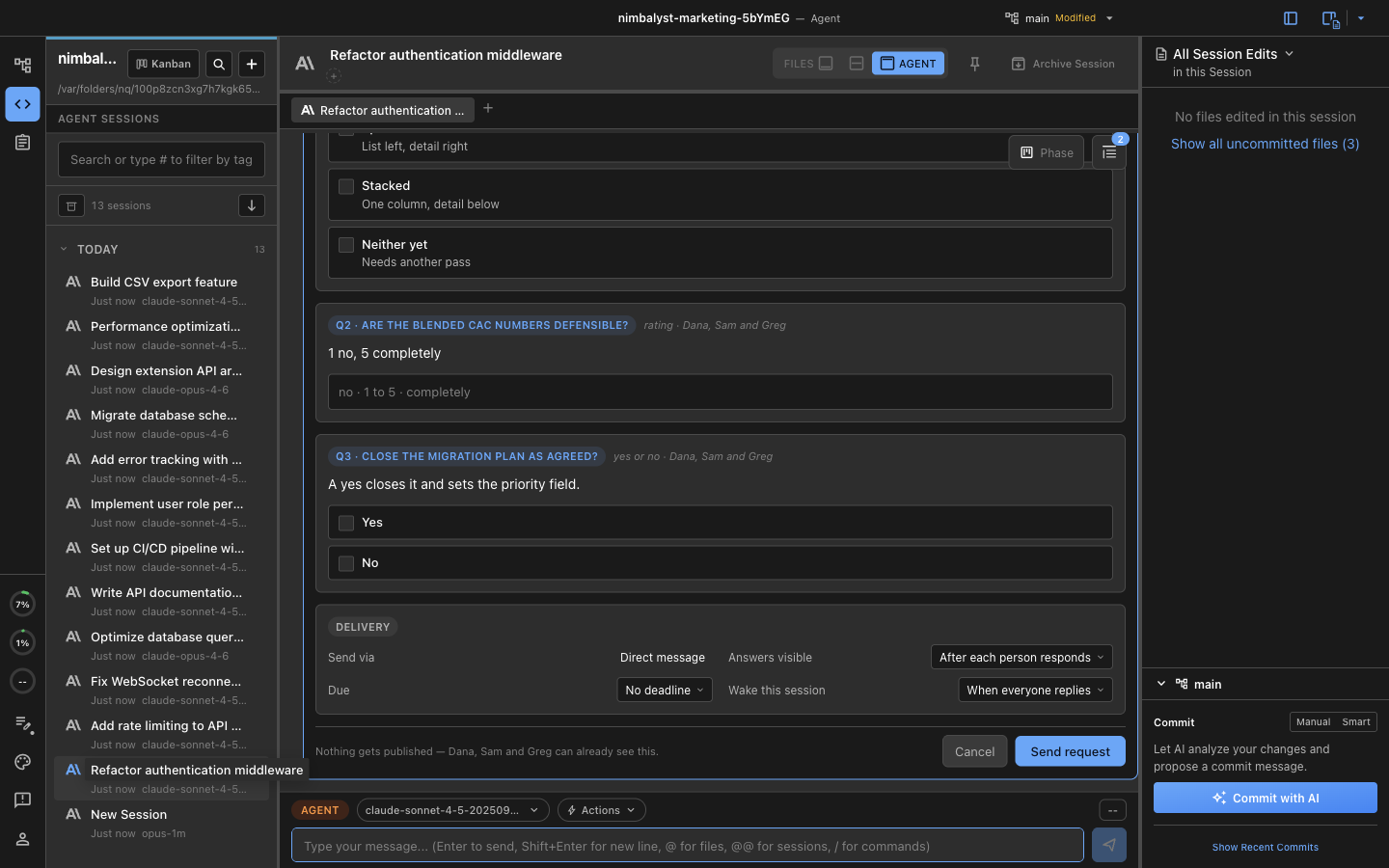
<figure><img src="https://562749618-files.gitbook.io/~/files/v0/b/gitbook-x-prod.appspot.com/o/spaces%2FiVUeHZHlFlZrZt02syRC%2Fuploads%2Fgit-blob-0253b17ca850a0b2d0788f2c05e98f52e5ef0ad7%2Ffeedback-compose-top.png?alt=media" alt="A feedback request card in the agent transcript showing three attached subjects, three recipients, and per-recipient ask assignment chips"><figcaption><p>The compose card is editable before it goes anywhere. Add or remove people, change what each person is asked, drop an artifact.</p></figcaption></figure>

The card has three parts:

* **Subject:** the files the reviewers are looking at. Each is pinned at send, so an answer is always about the version that was asked about, not whatever the file became afterwards.
* **Recipients:** who is being asked. The chips beside each person are the questions assigned to them, so one request can ask the designer about the layout and the finance lead about the numbers.
* **Asks:** the questions themselves, plus how the request is delivered.

Good prompts to start from:

* "Ask Dana, Sam, and Greg which of these three mockups we should ship."
* "Get sign-off from the team on this migration plan before I start."
* "Ask Priya to rate whether these numbers are defensible, and ask everyone else to confirm the scope."

## Questions People Can Actually Answer

An ask is a field rather than a paragraph, which is what makes the results countable.

| Ask type       | What the recipient does                            |
| -------------- | -------------------------------------------------- |
| Choose one     | Chooses a single option                            |
| Choose several | Checks any number of options                       |
| Rank options   | Drags options into an order                        |
| Rate 1 to 5    | Picks a value on a scale you label at both ends    |
| Yes or no      | Confirms or declines                               |
| Edit a draft   | Revises a draft you seed and returns their version |

Choose-one and rank asks can carry a live artifact per option: a document, tracker item, file, or session rendered as a preview instead of a text label. So "which layout do we ship?" shows the three mockups themselves and the reviewer votes on the design rather than on a name.

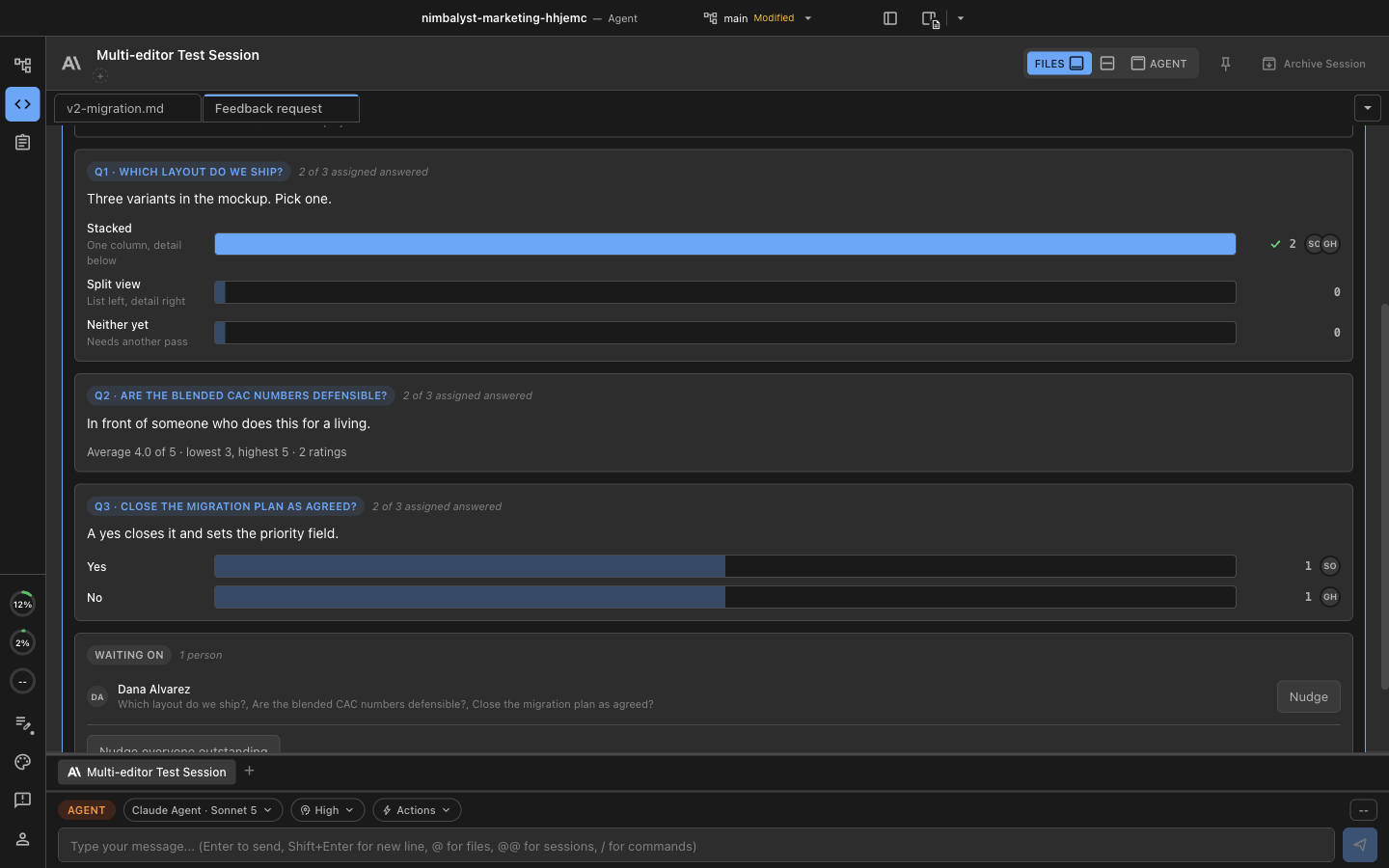
<figure><img src="https://562749618-files.gitbook.io/~/files/v0/b/gitbook-x-prod.appspot.com/o/spaces%2FiVUeHZHlFlZrZt02syRC%2Fuploads%2Fgit-blob-862b57a16aad2905d571d02b3e9cf64e078cb74e%2Ffeedback-compose-asks.png?alt=media" alt="The lower half of a feedback request card showing a choose-one ask, a rating ask, a yes-or-no ask, and the delivery settings for visibility, deadline, and session wake"><figcaption><p>Delivery settings sit at the bottom of the card: when answers become visible, whether there is a deadline, and when the session should wake up.</p></figcaption></figure>

Delivery has three choices:

* **Answers visible:** **To everyone asked** shows each answer as it arrives. **After each person responds** keeps every answer hidden from someone until they have answered themselves, so the first reply cannot anchor everyone else.
* **Due:** an optional deadline.
* **Wake this session:** bring the agent session that asked back to life when enough people have replied, so the work continues without you having to remember to restart it.

## Where the Request Lands

Sending writes each ask into a shared markdown document as a [decision block](/team-collaboration/decisions.md): the document the request is about, or a newly created shared decision document when there is no host document. A standalone decision document also creates a tracker item automatically, so the open question shows up on the team's board.

The attached artifacts are published as shared documents, into a **Feedback requests** folder unless you choose another destination, and the request is delivered to each recipient's Inbox. A file already shared with your team is reused rather than duplicated.

Recipients answer the request in their Inbox in Nimbalyst, or in a browser: **Copy link** on the request gives you a [console.nimbalyst.com](https://console.nimbalyst.com) link that opens the [web console](/team-collaboration/web-console.md) directly at the document and block, which is how you reach someone who is not at their desktop.

## Reading the Results

The author's view is a tally, not a transcript.

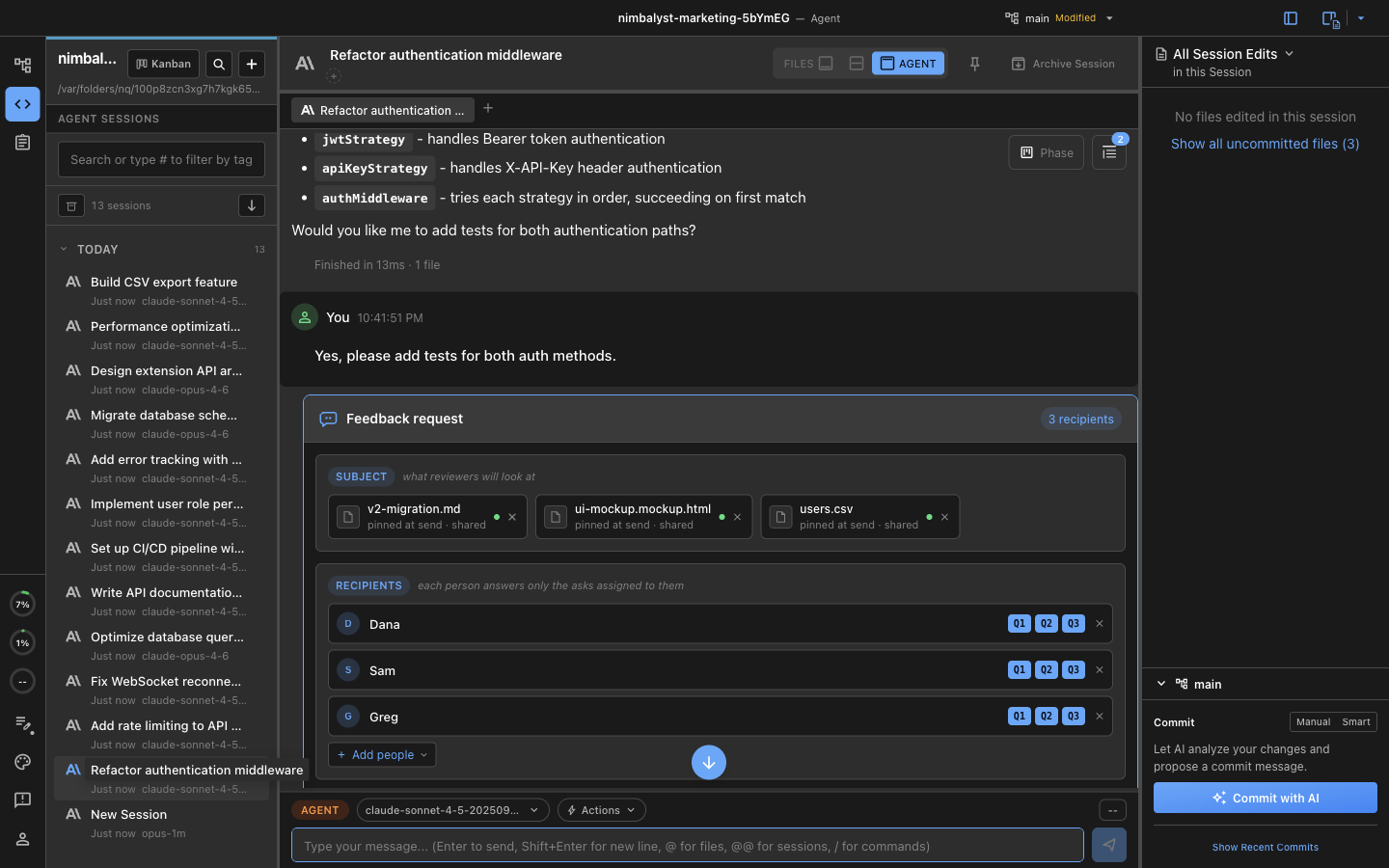
<figure><img src="https://562749618-files.gitbook.io/~/files/v0/b/gitbook-x-prod.appspot.com/o/spaces%2FiVUeHZHlFlZrZt02syRC%2Fuploads%2Fgit-blob-07d25c63ba744cb9e7d72fb279dbe34499fb6360%2Ffeedback-results.png?alt=media" alt="The results view of a feedback request showing vote bars for a choose-one question, a rating average, a yes-or-no split, and a Waiting on section with a Nudge button"><figcaption><p>Counts per option, the rating average and spread, the yes-or-no split, and who has not answered yet.</p></figcaption></figure>

* **Counts per ask:** vote bars with the number and, when answers are attributed, who voted which way
* **The spread, not just the average:** a rating shows its lowest and highest alongside the mean, because three people at 5 and one at 1 is a different situation from four people at 4
* **Waiting on:** who still owes an answer, with **Nudge** for one person or everyone outstanding
* **Discussion:** a thread on the request itself, for the argument that a field cannot hold

When answers are hidden until answered, the waiting-on list stays anonymous too. Naming who is outstanding would identify the answers already in.

## Anonymous and Attributed Requests

**After each person responds** keeps the request anonymous while it is being answered: nobody sees a peer's answer, and nobody can work out who said what from who is left.

**To everyone asked** shows answers as they arrive, attributed by name. Use it for sign-off and approvals, where who agreed is the point.

## Sealing and Closing a Request

The loop from question to decision keeps a person in charge of each step:

* **Answers accumulate privately.** Each reply lands in the tally, subject to the visibility setting you chose, and the request keeps taking answers until you close it or its deadline passes.
* **Quorum informs you; it does not decide.** Reaching the number of answers you asked for marks the request answered so you know it is time to settle it. Nothing closes on your behalf.
* **A person seals the decision.** You seal the block with an outcome, attributed by name and preserved in the markdown of the document itself, so the decision travels with the file.
* **The session resumes.** Sealing wakes the agent session that asked, and it continues its work with the results in hand.

Closed, expired, and cancelled requests stay in the Feedback section of your organization, beside the Inbox, so a decision made three weeks ago is still there with the counts that produced it and the artifacts as they were at the time.

Feedback requests are built on the same decision blocks you can insert into any document yourself. See [Decision Blocks in Documents](/team-collaboration/decisions.md).


---

# Agent Instructions
This documentation is published with GitBook. GitBook is the documentation platform designed so that both humans and AI agents can read, navigate, and reason over technical content effectively. Learn more at gitbook.com.

## Querying This Documentation
If you need additional information that is not directly available in this page, you can query the documentation dynamically by asking a question.

Perform an HTTP GET request on the current page URL with the `ask` query parameter, and the optional `goal` query parameter:

```
GET https://docs.nimbalyst.com/team-collaboration/feedback-requests.md?ask=<question>&goal=<endgoal>
```

`ask` is the immediate question: it should be specific, self-contained, and written in natural language.
`goal` is optional and describes the broader end goal you are ultimately trying to accomplish on behalf of the user. GitBook uses it to tailor the answer towards what is most useful for that goal.

The response will contain a direct answer to the question and relevant excerpts and sources from the documentation.

Use this mechanism when the answer is not explicitly present in the current page, you need clarification or additional context, or you want to retrieve related documentation sections.