> For the complete documentation index, see [llms.txt](https://docs.nimbalyst.com/llms.txt). Markdown versions of documentation pages are available by appending `.md` to page URLs; this page is available as [Markdown](https://docs.nimbalyst.com/team-collaboration/overview.md).

# Team Collaboration Overview

Each teammate runs the open-source Nimbalyst app on their own machine with their own Claude Code, Codex, or other local agents. Nimbalyst Teams adds a shared layer for files and Trackers without replacing anyone's local workspace, environment, or agents.

> **Free alpha:** Nimbalyst Teams is free during the alpha. Alpha features may have bugs or change before launch. Teams will require a paid subscription after launch; final pricing has not been announced. [Join the waitlist](https://nimbalyst.com/waitlist/) for launch and pricing updates.

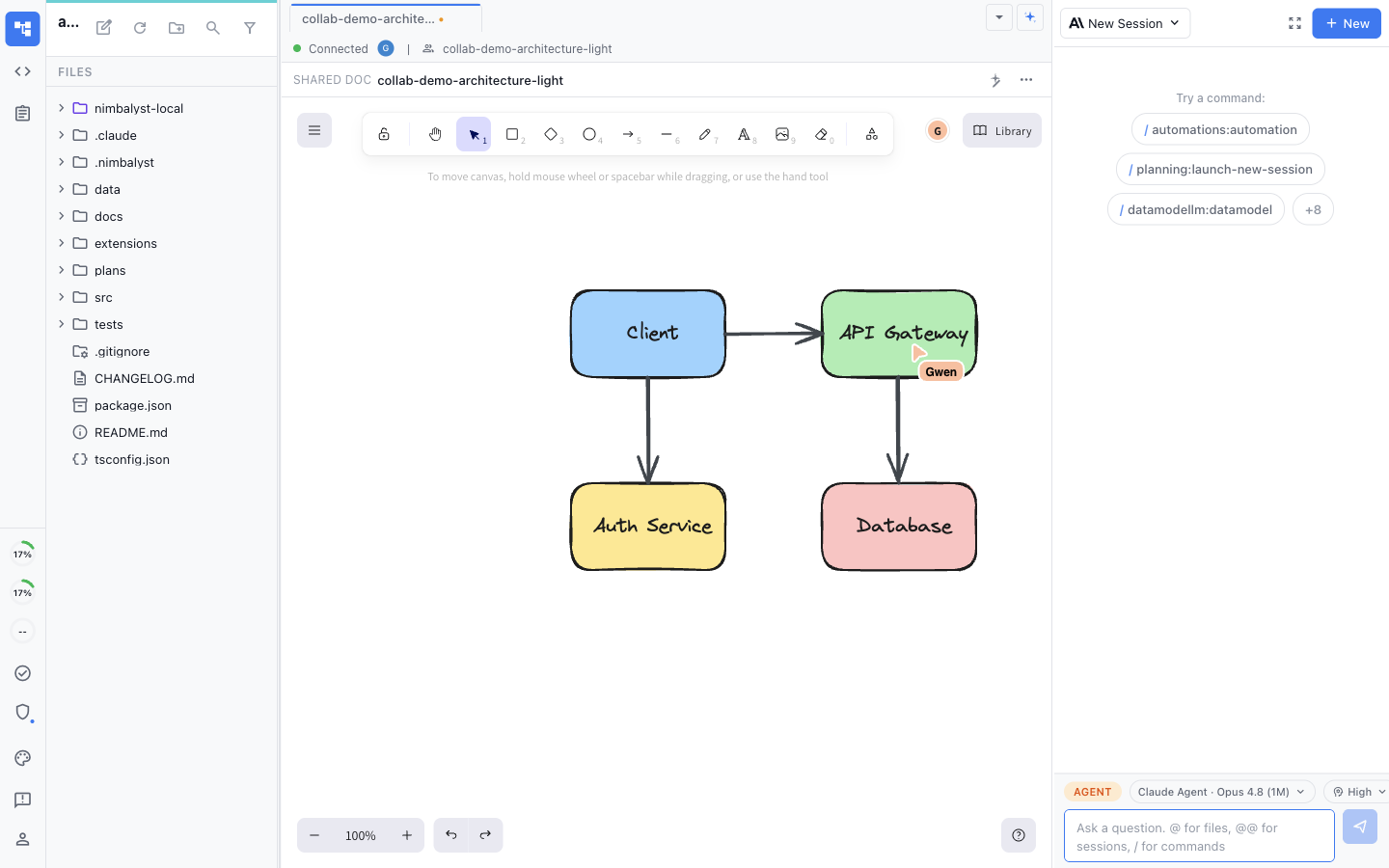
<figure><img src="/files/tPpDWg6Ysi3rX6qCkw5K" alt="Two teammates editing the same architecture diagram in real time on a shared canvas, with a live labeled cursor"><figcaption><p>People and their agents work together on the same shared documents, mockups, diagrams, and trackers.</p></figcaption></figure>

### One integrated workflow for the whole team

Give the whole team higher bandwidth with less context switching. Manage agents, edit the work visually, and track tasks in a shared workspace where each teammate keeps using their own local Nimbalyst and agents, live or asynchronously.

Team collaboration is faster when people and agents share the whole workflow. Nimbalyst keeps plans, visual files, Trackers, sessions, reviews, and delivery links together so context survives every handoff.

* **One workflow from plan to ship:** Move from a spec to a mockup, implementation session, Tracker update, review, commit, and pull request without rebuilding the story in each tool.
* **Every file type in the same context:** Work across markdown, code, mockups, diagrams, spreadsheets, data models, and other supported editors while teammates and their agents stay connected to the same project context.
* **Less context switching:** Stop moving between a document app, task tracker, diagram tool, editor, and terminal or copying context from one into another.
* **Higher-bandwidth collaboration:** Rich visual editors, live presence, linked work, and immediate status let the team understand and direct more work at once than a collection of text-only tools.

### Multiplayer on the work

#### Edit the same docs, mockups, and diagrams together

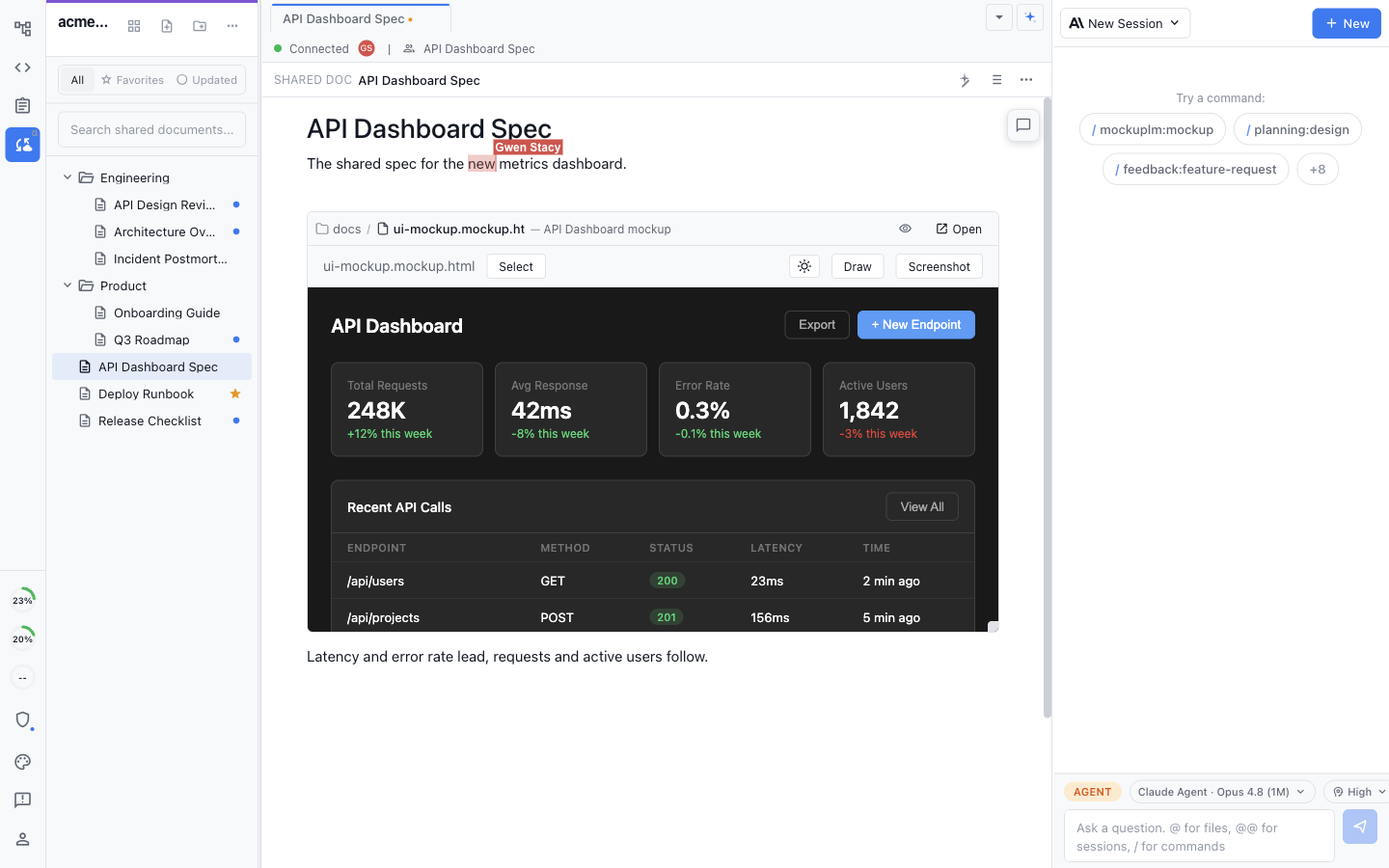
<figure><img src="/files/vPtTE7Era3Qoy8Drfnpv" alt="Two teammates editing the same document, with a UI mockup embedded inline and a live labeled cursor"><figcaption><p>A shared document can contain an editable mockup, diagram, image, or tracker inline.</p></figcaption></figure>

* **True multiplayer:** Edit shared markdown, mockups, and diagrams together in real time, with a live cursor for everyone in the document.
* **Your agents in the same room:** Each teammate's local Claude Code and Codex agents edit the same shared documents, not separate copies.
* **Promote and review:** Promote any local file to a shared one in a click, and review its full change history.

### Plan and track together

#### Plan and track the work on one shared board

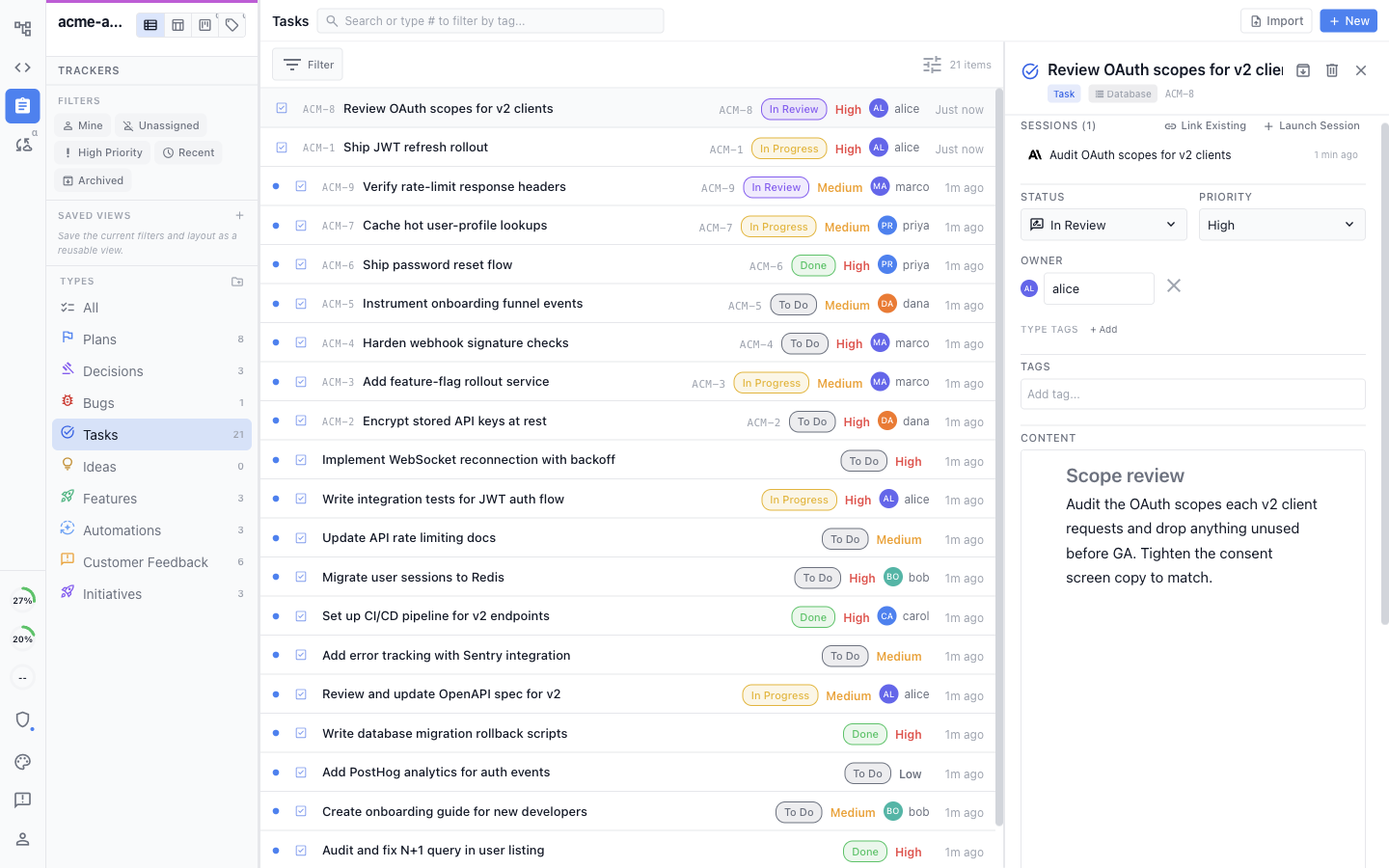
<figure><img src="/files/1HsF6gb1fQdemNp2CmoS" alt="A shared task list with an item open, showing its linked session, status, priority, owner, and written content"><figcaption><p>The team and its agents keep the same tracker items, fields, and linked sessions current.</p></figcaption></figure>

* **Shared boards and trackers:** Plans, decisions, bugs, tasks, and ideas live on shared boards and trackers in the same workspace as your docs.
* **Everyone updates the same items:** Teammates and their local agents read and update the same tracker items, so the board reflects what is actually happening.
* **One place for status:** See what is in progress, done, or blocked instead of pinging people for updates.

### One connected workspace

Shared docs, local files, trackers, and agent sessions live together and link to each other. A tracker can link to the session working it, the source document it came from, and the pull request that closes it. Documents can contain live tracker references and embedded visual files.

### How collaboration works

1. **Everyone works locally.** Each teammate runs Nimbalyst on their own machine with their own Claude Code, Codex, or other agents.
2. **Authenticate to Nimbalyst Teams.** Signing in gives each person access to the organizations, projects, shared files, and shared Trackers they are authorized to use.
3. **Promote what should be shared.** Move a local file or Tracker item into the shared team workspace when the team should work on it. Only explicitly shared content enters the team collaboration flow.
4. **Work live, asynchronously, or offline.** Shared files and Trackers sync across everyone's workspace. Previously opened documents remain available from an encrypted local copy, and offline changes upload when the device reconnects.
5. **Keep the work connected.** Shared docs, local files, Trackers, and sessions link to one another so the team and its agents work from one picture instead of scattered tools.

Continue with [Collaborative Documents](/team-collaboration/documents.md), [Collaborative Trackers](/team-collaboration/trackers.md), or [Set Up a Team](/team-collaboration/setup-teams.md).

### Enterprise-grade security, local-first by default

Your code stays on your machine. Only what you choose to share gets synced, and only the people you invite can read it.

* **Encrypted through Cloudflare:** Shared documents, Trackers, and tasks flow through Nimbalyst's Cloudflare sync service and are encrypted in transit and at rest.
* **Isolated and authorized per team:** Team data is isolated per team and requires an authenticated, authorized membership.
* **SOC 2 Type 2 certified:** Nimbalyst has completed SOC 2 Type 2 certification with audited controls, processes, and documented compliance.
* **Local-first by default:** Local files remain on your machine until you promote one for the team and its agents to work on together.

Nimbalyst-hosted Teams uses server-managed encryption keys so authorized web, CLI, and agent experiences can access shared team work. Hosted team data is encrypted but is not zero-knowledge. Personal device sync uses a separate end-to-end encrypted model.


---

# Agent Instructions
This documentation is published with GitBook. GitBook is the documentation platform designed so that both humans and AI agents can read, navigate, and reason over technical content effectively. Learn more at gitbook.com.

## Querying This Documentation
If you need additional information that is not directly available in this page, you can query the documentation dynamically by asking a question.

Perform an HTTP GET request on the current page URL with the `ask` query parameter, and the optional `goal` query parameter:

```
GET https://docs.nimbalyst.com/team-collaboration/overview.md?ask=<question>&goal=<endgoal>
```

`ask` is the immediate question: it should be specific, self-contained, and written in natural language.
`goal` is optional and describes the broader end goal you are ultimately trying to accomplish on behalf of the user. GitBook uses it to tailor the answer towards what is most useful for that goal.

The response will contain a direct answer to the question and relevant excerpts and sources from the documentation.

Use this mechanism when the answer is not explicitly present in the current page, you need clarification or additional context, or you want to retrieve related documentation sections.