> For the complete documentation index, see [llms.txt](https://docs.nimbalyst.com/llms.txt). Markdown versions of documentation pages are available by appending `.md` to page URLs; this page is available as [Markdown](https://docs.nimbalyst.com/team-collaboration/trackers.md).

# Collaborative Trackers

## One shared board your team and its agents keep current

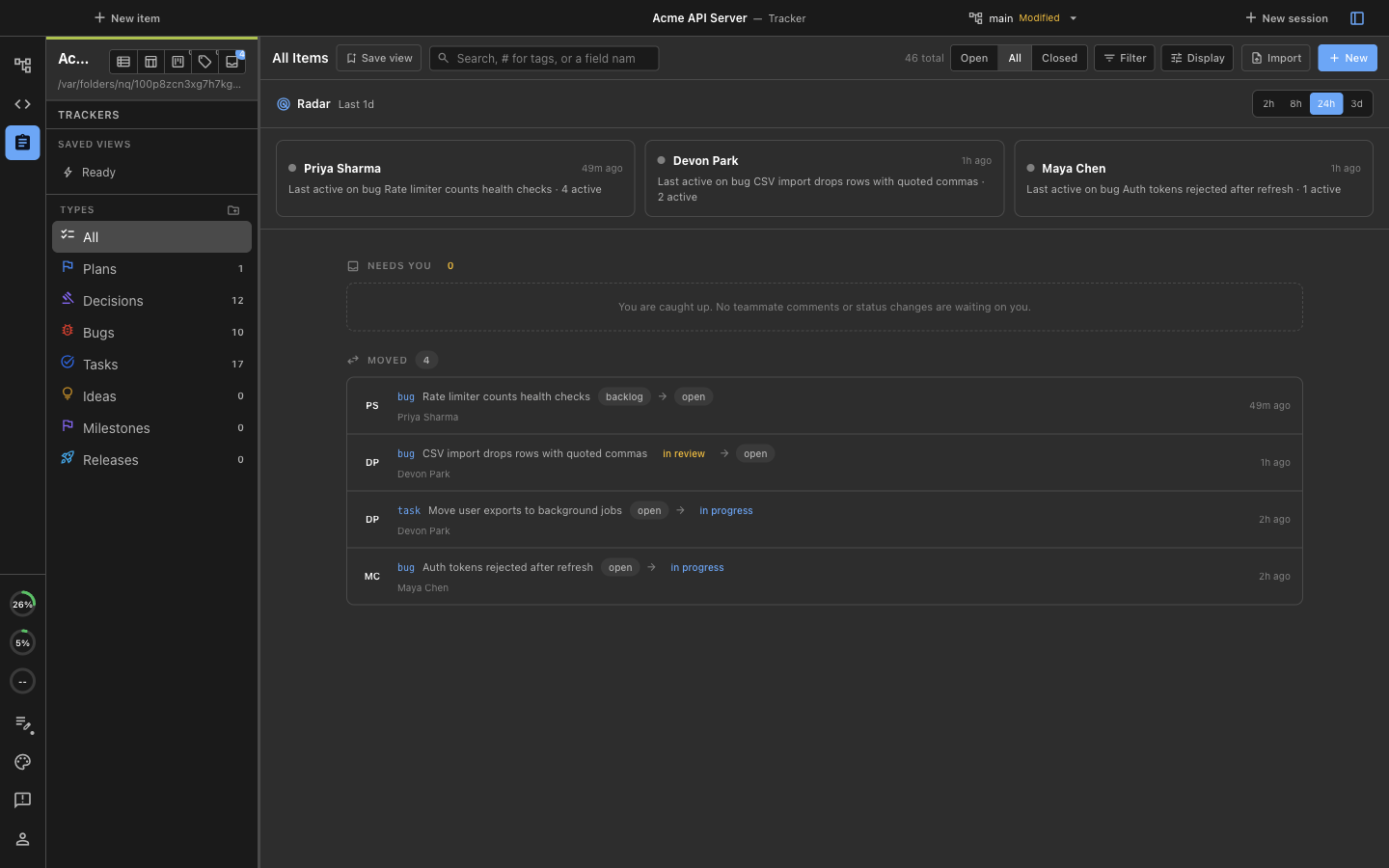
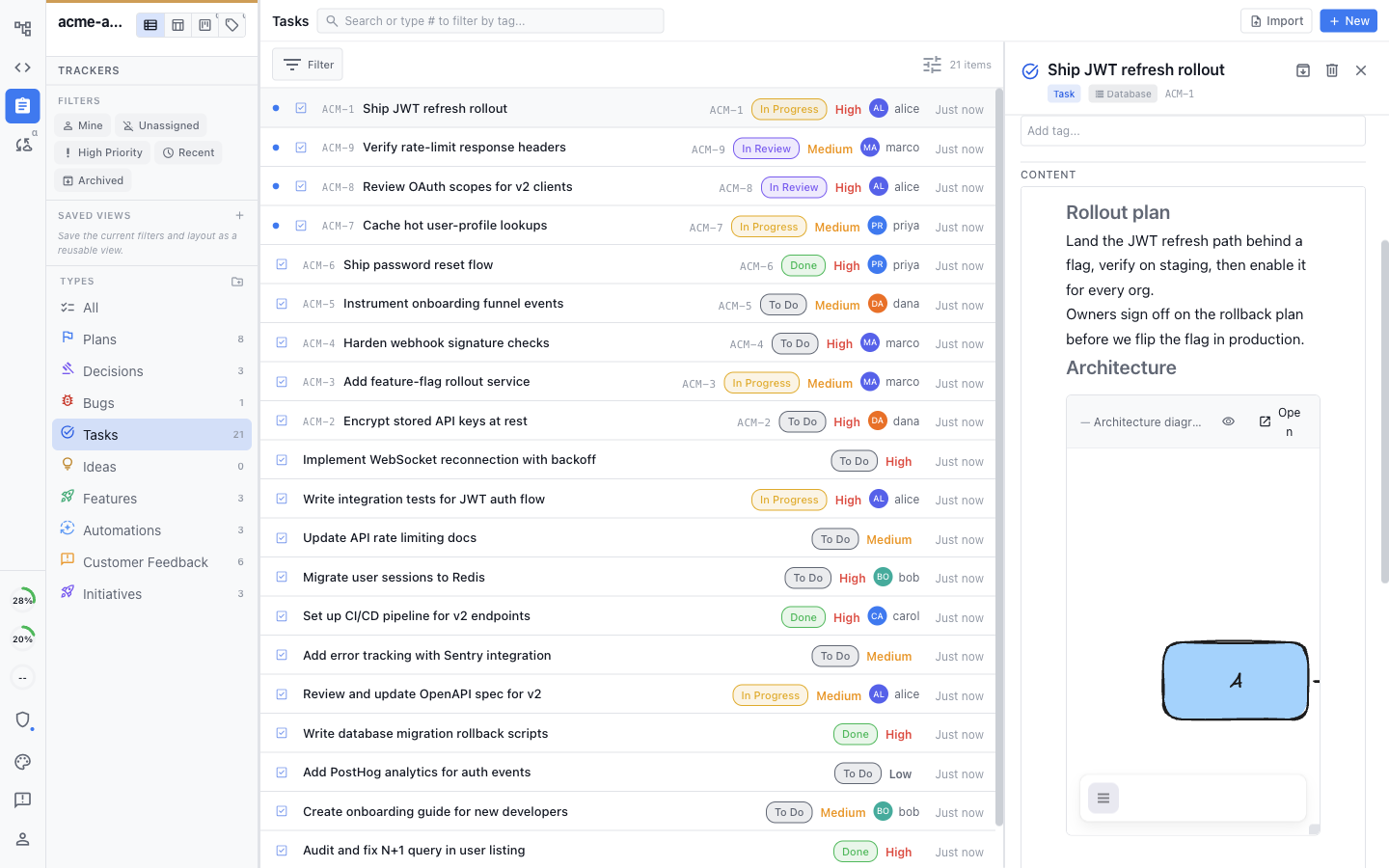
Bugs, features, tasks, plans, and decisions live on shared Trackers in the same workspace as your docs. Teammates and their local agents update the same items in real time or asynchronously, so the board reflects what is actually happening.

> **Free alpha:** Nimbalyst Teams is free during the alpha. Alpha features may have bugs or change before launch. Teams will require a paid subscription after launch; final pricing has not been announced. [Join the waitlist](https://nimbalyst.com/waitlist/) for launch and pricing updates.

<figure><img src="/files/blGXYPkVuBAiiHSsbHLJ" alt="A shared tracker board grouped into tag columns such as API, mobile, reliability, and authentication"><figcaption><p>Group shared work by tag to see plans across areas and milestones.</p></figcaption></figure>

### One board, everyone on it

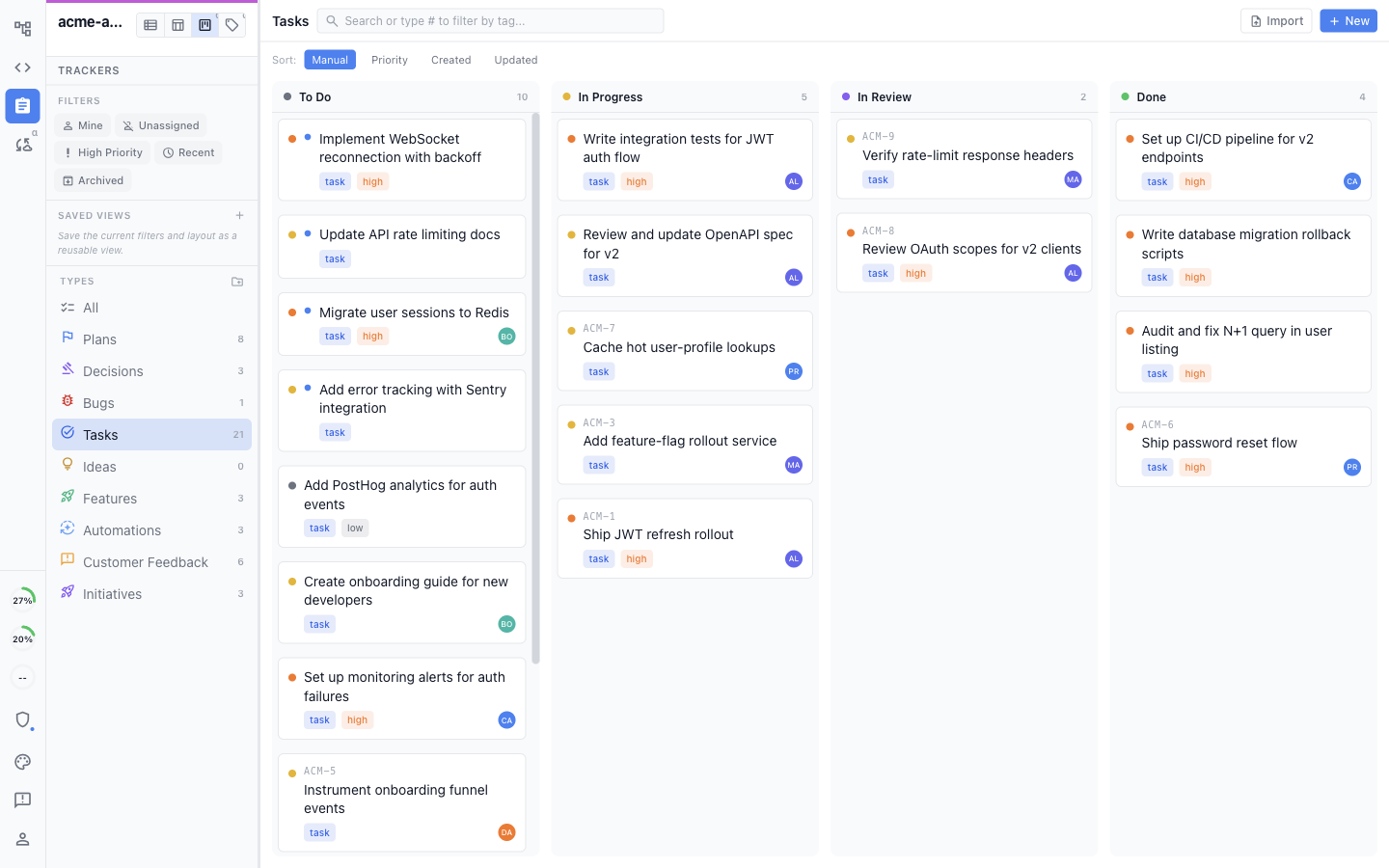
<figure><img src="/files/16VGhpe2jfEJzDrKHfiM" alt="A shared task board with To Do, In Progress, In Review, and Done columns"><figcaption><p>Use kanban stages, lists, filters, and saved views to organize shared work.</p></figcaption></figure>

* **Real-time and multiplayer:** The board updates live as people and agents change items, with no refresh or manual synchronization.
* **Kanban with your stages:** Move work across the stages you define, from backlog to done, on a shared kanban board.
* **Recently changed:** See what moved recently, with a marker on items that changed since you last looked.

The tracker also includes a sortable list, filters, saved views, and a tag board.

### Your agents and your team keep it up to date

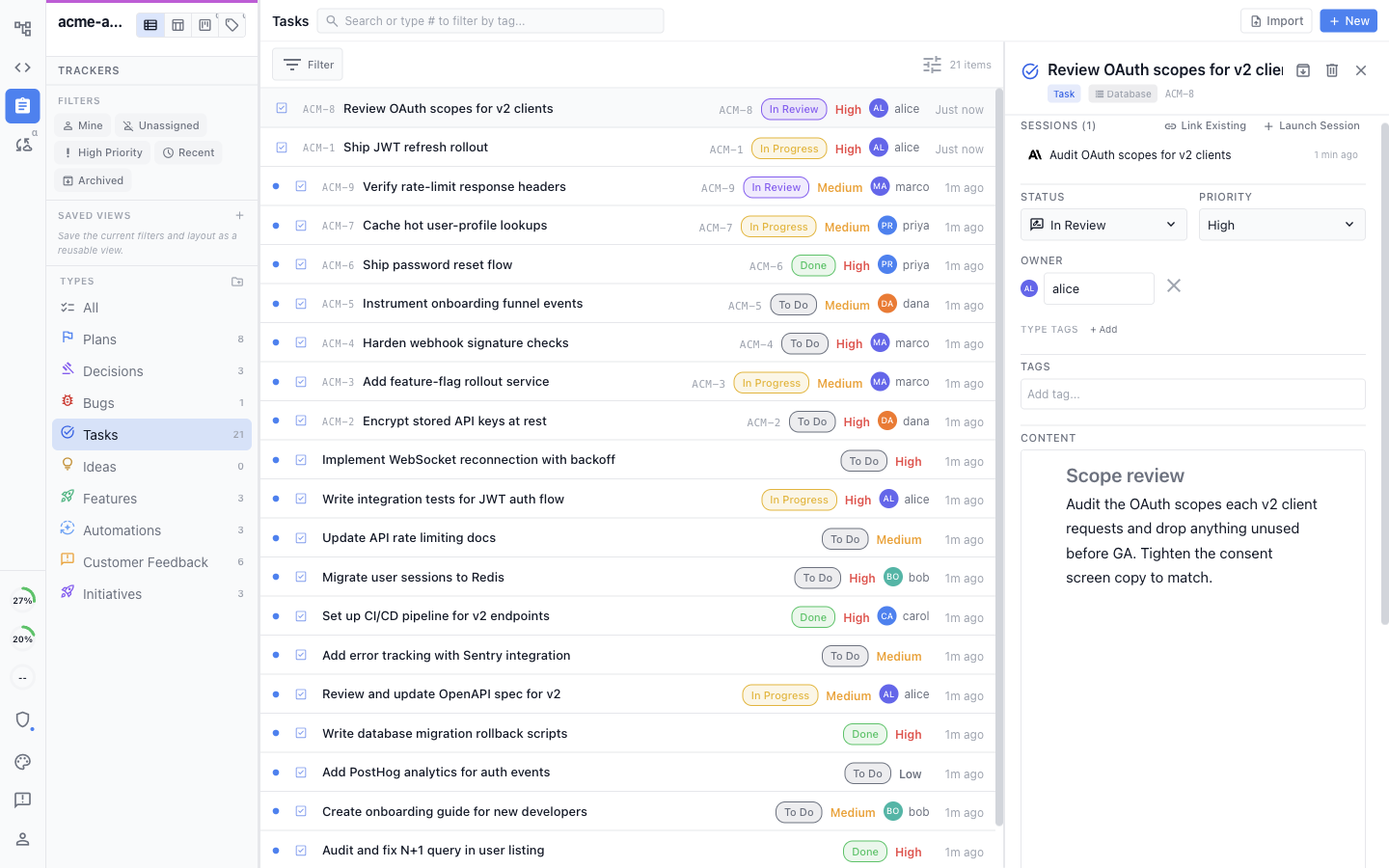
<figure><img src="/files/1HsF6gb1fQdemNp2CmoS" alt="A tracker item detail kept up to date with a linked session, status, priority, owner, and written content"><figcaption><p>Open an item to see its current fields, content, owner, and the session working on it.</p></figcaption></figure>

* **Agents update the board:** Claude Code and Codex agents can create items, change status, and update many trackers as they work.
* **People edit too:** Teammates edit the same items by hand, so the board stays accurate whether a person or agent made the change.
* **Comments and full history:** Every item keeps a threaded discussion and a record of what changed and who changed it.

Enable or disable agent Tracker tools per project under **Settings > Project > Trackers > AI Agent Access**.

### Track any kind of work

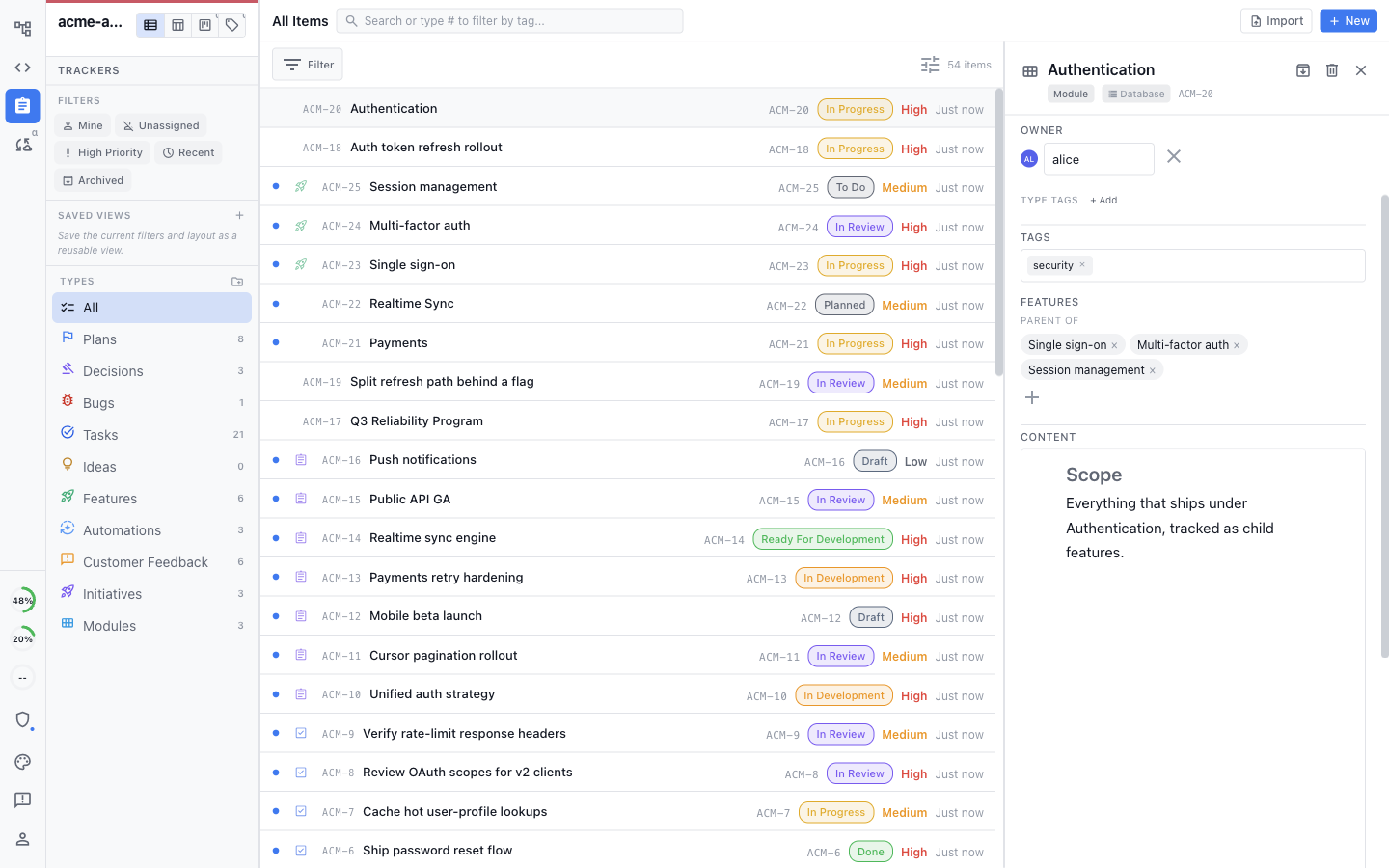
<figure><img src="/files/B7KHzYJ5bIWMfDxahlon" alt="The tracker sidebar with configurable types including Modules and Initiatives, and an Authentication module open with child features and fields"><figcaption><p>Create tracker types and relationships that match how your team organizes work.</p></figcaption></figure>

* **Bugs, features, and your own types:** Use built-in trackers or define custom types with the fields you need.
* **Hierarchy and links:** Break work into parent and child items and link related items across trackers.
* **Fields that fit:** Give each type its own fields, statuses, owners, tags, dates, priorities, and progress.

See [Custom Tracker Types](/task-management/custom-tracker-types.md) and [Linking Tracker Items](/task-management/linking-tracker-items.md).

### A collaborative document inside every item

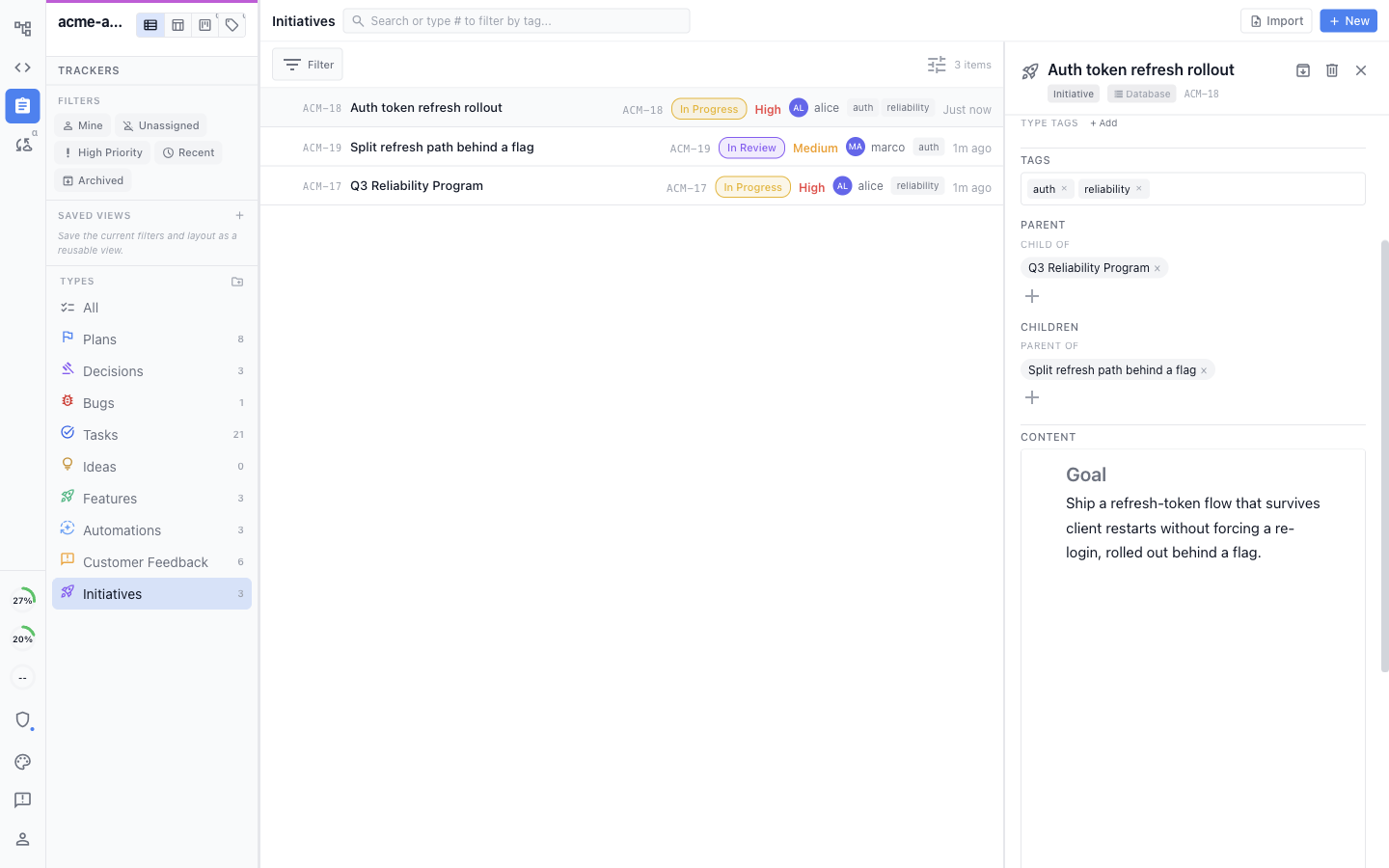
Each full tracker item has a rich body the team edits together, so the plan and discussion live with the task.

<figure><img src="/files/Ww89coXz4wR8GVTVA7x9" alt="A tracker item with a collaborative rich-text body, including an Excalidraw diagram and mockup embedded inline"><figcaption><p>Write the plan in the item and embed diagrams, mockups, images, and other project files.</p></figcaption></figure>

* **Write the plan in place:** Draft the spec, repro steps, decision, or rollout plan inside the item.
* **Diagrams and mockups too:** Add diagrams, mockups, images, data models, and spreadsheets so the full picture sits with the work.
* **Edited together:** The item body is collaborative, so teammates and agents work on it in the same place.

### Every item is wired into the work

An item connects to the sessions working it, the parent and child items around it, and the documents that reference it.

<figure><img src="/files/UjmjEQoHCV9pmS9iYPMs" alt="An initiative showing its parent, child item, tags, content, and linked session"><figcaption><p>Build a hierarchy around the work and link the session, source file, and pull request that belong to it.</p></figcaption></figure>

* **Hierarchy and linked sessions:** Break work into parent and child items, and connect each one to the session working it, the file it came from, and the pull request that closes it.

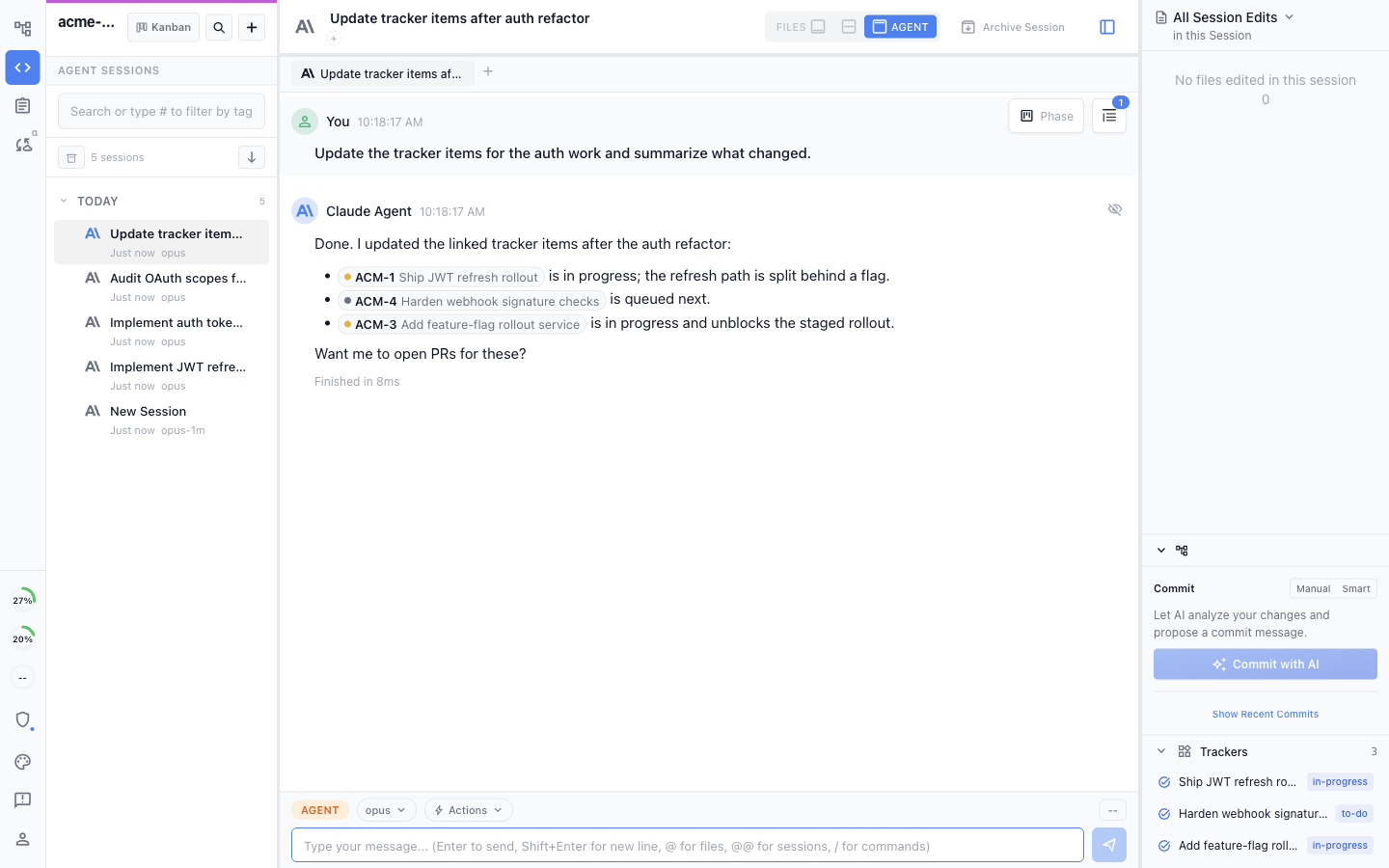
<figure><img src="/files/HdFETKpAqMzdsmOWAWYj" alt="An agent session reporting updates to linked tracker items, with those items visible in the Trackers panel"><figcaption><p>The agent updates linked items while it works and reports the changes in the session.</p></figcaption></figure>

* **Updated from the session:** Claude Code and Codex agents change linked items as they work, so a session and its tracker items stay in step.

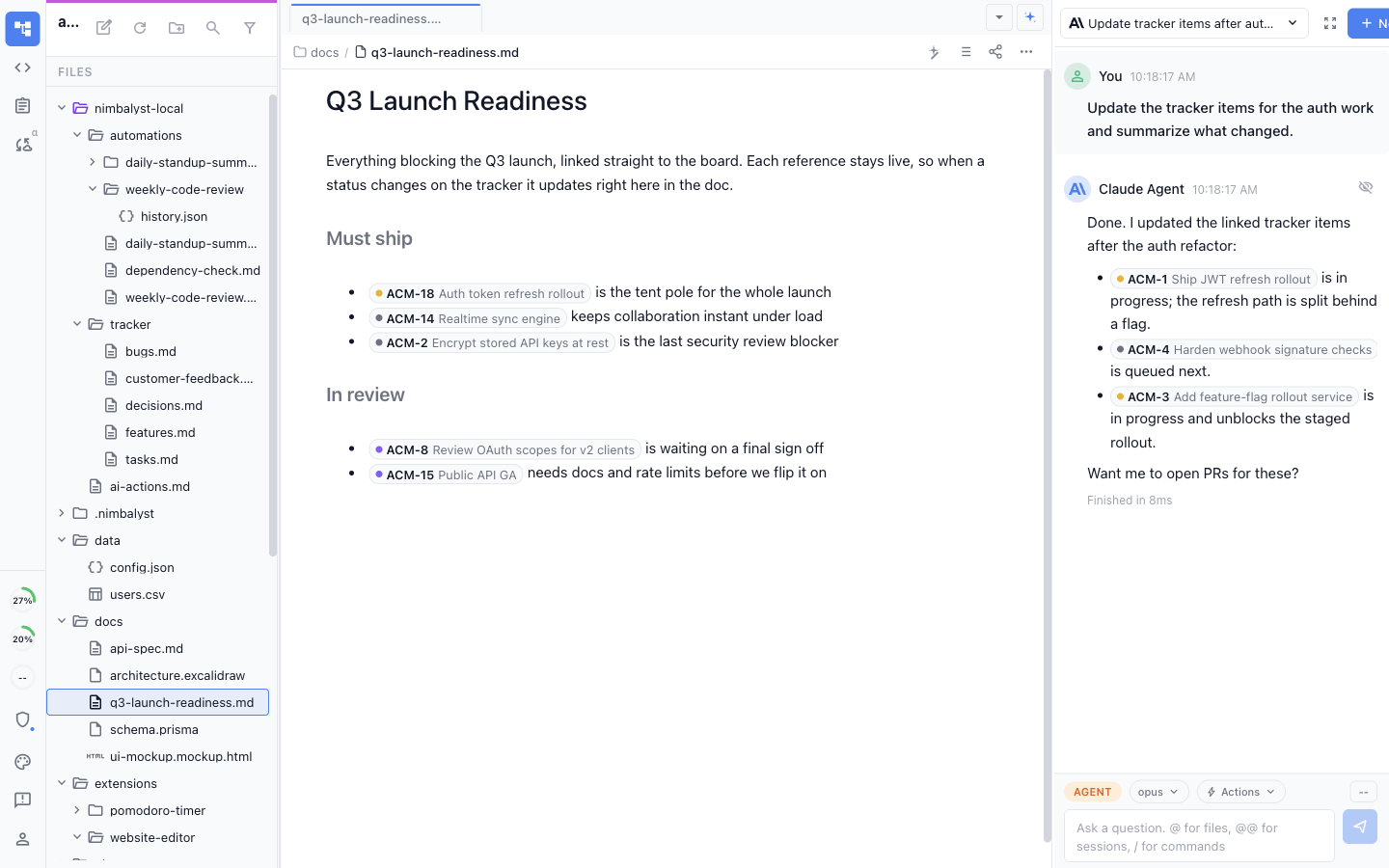
<figure><img src="/files/Cc5gaCeEEPEt4391jaVg" alt="A launch-readiness document containing live tracker reference pills with item keys, titles, and statuses"><figcaption><p>Reference live tracker items in a document so their current status stays beside the plan.</p></figcaption></figure>

* **Tracker pills in your docs:** Reference an item in any document with a live pill that shows its status and links back to the board.

Use **Link Existing**, **Launch Session**, or ask the agent to link the current session when that relationship belongs in the item's history.

### Keep trackers private or share them, and organize by tag

<figure><img src="/files/blGXYPkVuBAiiHSsbHLJ" alt="A tracker board grouped by tag, with columns for areas such as API, mobile, reliability, and authentication"><figcaption><p>Keep personal trackers local, promote team trackers to shared, and group the shared board by tag.</p></figcaption></figure>

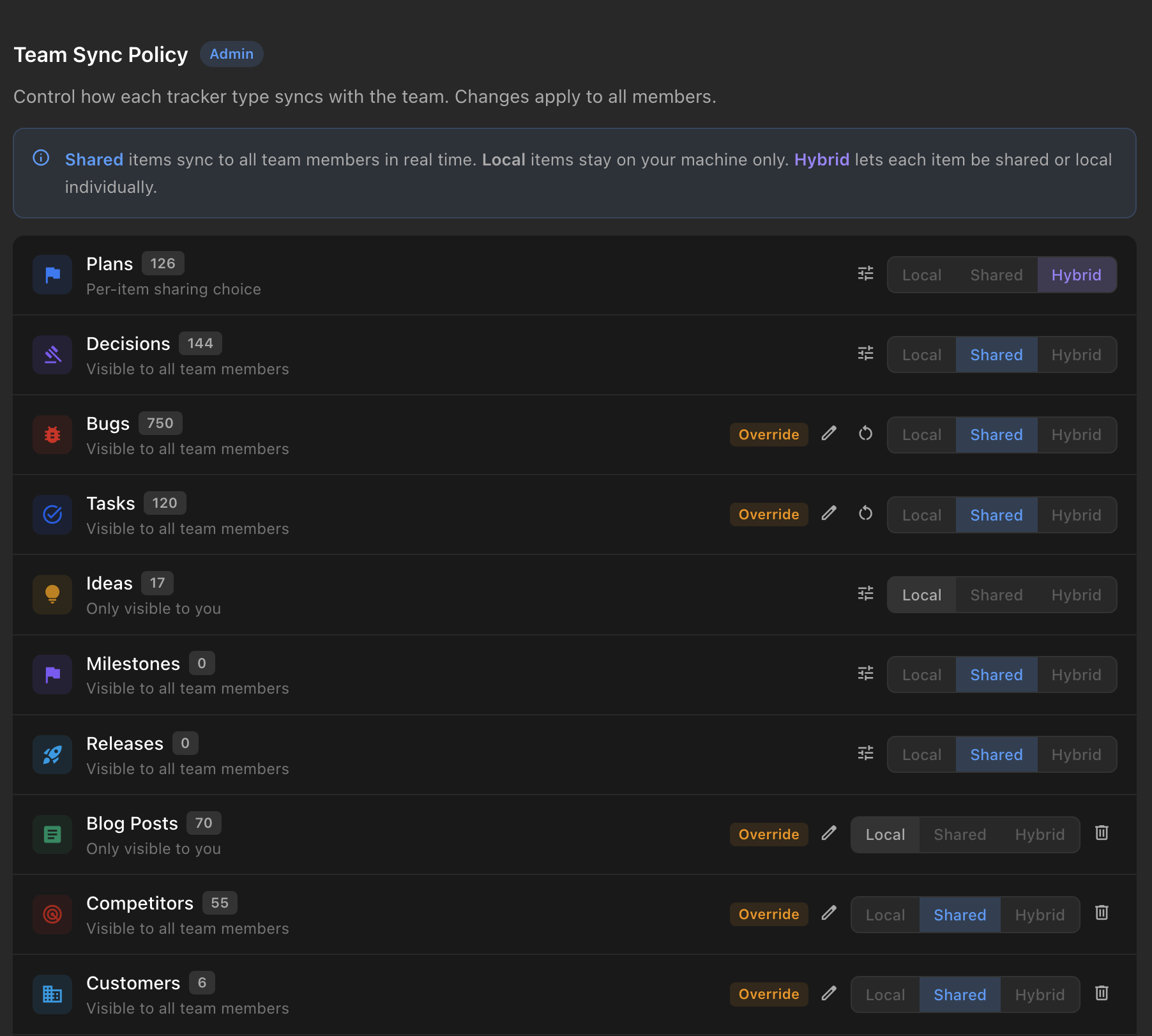
* **Local trackers:** Track your own work in local trackers that stay on your machine.
* **Shared trackers:** Promote a tracker to shared so the whole team and its agents work on the same board.
* **Board by tag:** Group the board by tag to slice work by area, milestone, or any other label.

Inline `#type[...]` items stay local until they are promoted to full items. Shared items show their synchronization state, and list view can display the optional **Shared** column.

Shared Tracker data flows through Nimbalyst's Cloudflare sync service and is encrypted in transit and at rest. Local and unshared items remain outside the team workspace.


---

# Agent Instructions
This documentation is published with GitBook. GitBook is the documentation platform designed so that both humans and AI agents can read, navigate, and reason over technical content effectively. Learn more at gitbook.com.

## Querying This Documentation
If you need additional information that is not directly available in this page, you can query the documentation dynamically by asking a question.

Perform an HTTP GET request on the current page URL with the `ask` query parameter, and the optional `goal` query parameter:

```
GET https://docs.nimbalyst.com/team-collaboration/trackers.md?ask=<question>&goal=<endgoal>
```

`ask` is the immediate question: it should be specific, self-contained, and written in natural language.
`goal` is optional and describes the broader end goal you are ultimately trying to accomplish on behalf of the user. GitBook uses it to tailor the answer towards what is most useful for that goal.

The response will contain a direct answer to the question and relevant excerpts and sources from the documentation.

Use this mechanism when the answer is not explicitly present in the current page, you need clarification or additional context, or you want to retrieve related documentation sections.