> For the complete documentation index, see [llms.txt](https://docs.nimbalyst.com/llms.txt). Markdown versions of documentation pages are available by appending `.md` to page URLs; this page is available as [Markdown](https://docs.nimbalyst.com/visual-editors-powered-by-ai/browser.md).
# Browser
Preview HTML files and live URLs in the built-in Chromium browser, right next to your project files and your AI coding agent conversation.
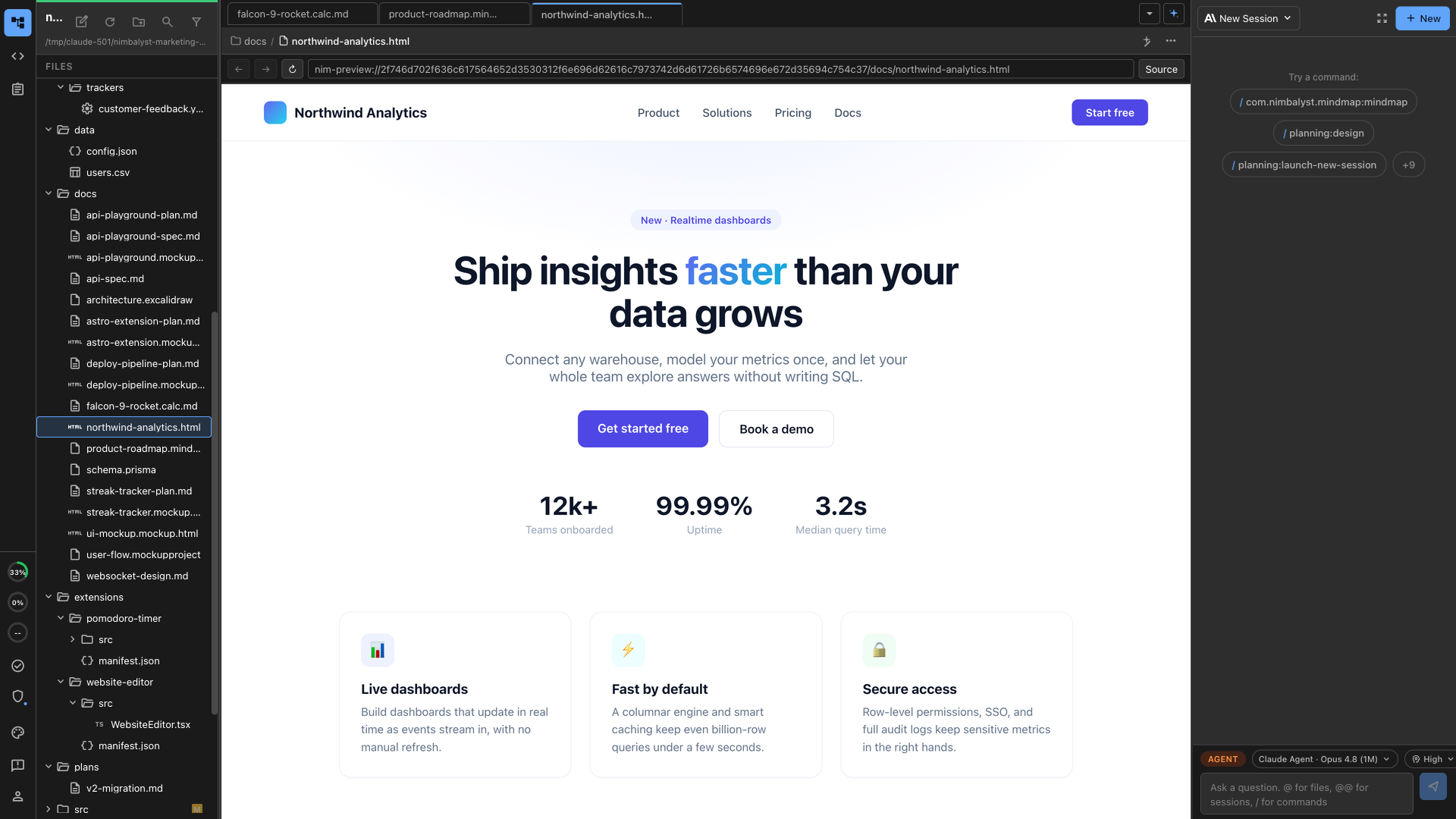
Nimbalyst includes an in-app Browser editor for previewing HTML files and live URLs without leaving your workspace. It opens pages in a real Chromium view, next to your files and agent conversation.
Use it when you want to see a generated page, review an HTML mockup, or check a live URL while Claude Code, Codex, or another agent keeps working in the same project.
The [browser extension page](https://nimbalyst.com/extensions/browser/) covers what an agent can do inside the in-app browser.
## What the Browser Is Good For
* Previewing `.html` and `.htm` files directly from the file tree
* Opening a live URL beside the code, notes, and agent transcript
* Reviewing frontend changes without switching to a separate browser window
* Checking generated mockups and landing pages as rendered pages
* Letting an agent inspect, click, type, scroll, evaluate, and screenshot a page
## Built-In Capabilities
* Real Chromium rendering, not an iframe
* Back, forward, reload, and URL bar controls
* Source toggle when you want to move between rendered preview and file source
* Workspace-scoped local preview URLs for files
* Fileless browser tabs for live pages
* Agent tools for navigation, page inspection, clicks, typing, scrolling, screenshots, and JavaScript evaluation
## Browser vs Code Editor
Use the **Browser** when you need to inspect the rendered result of an HTML file or URL.
Use the **Code Editor** when you need to edit the source of the HTML, CSS, JavaScript, or TypeScript file.
In practice, you often use both: edit source in one tab, open the Browser in another tab, and ask your agent to revise the page while you review the rendered result.
## Working with AI
Your coding agent can use the Browser to verify UI work in place. Good prompts include:
* "Open this HTML file in the Browser and check whether the CTA button is visible."
* "Change the hero copy, then preview the page in the Browser."
* "Click through the form and tell me what breaks."
* "Take a screenshot of the current page state."
* "Inspect the page and summarize the visible headings and links."
---
# Agent Instructions
This documentation is published with GitBook. GitBook is the documentation platform designed so that both humans and AI agents can read, navigate, and reason over technical content effectively. Learn more at gitbook.com.
## Querying This Documentation
If you need additional information that is not directly available in this page, you can query the documentation dynamically by asking a question.
Perform an HTTP GET request on the current page URL with the `ask` query parameter, and the optional `goal` query parameter:
```
GET https://docs.nimbalyst.com/visual-editors-powered-by-ai/browser.md?ask=&goal=
```
`ask` is the immediate question: it should be specific, self-contained, and written in natural language.
`goal` is optional and describes the broader end goal you are ultimately trying to accomplish on behalf of the user. GitBook uses it to tailor the answer towards what is most useful for that goal.
The response will contain a direct answer to the question and relevant excerpts and sources from the documentation.
Use this mechanism when the answer is not explicitly present in the current page, you need clarification or additional context, or you want to retrieve related documentation sections.