Markdown (WYSIWYG)

Why Nimbalyst as a Markdown Editor?
Fast - Blazing performance for distraction-free writing
Clean UI - Minimal interface focused on your content
Focused - Dedicated to markdown writing and editing
Native Markdown - True markdown support without compromises
WYSIWYG - See formatted output as you type
Delightful - Smooth, intuitive user experience
Unified Content - Work seamlessly with text, tables, code, lists, and images.
AI-Integrated - Leverage AI and Agents that see your documents to research, write, edit, code
Important Commands
Reference a file in another document or in chat: @ — supported custom-editor files (mockups, Excalidraw, data models, CSV, etc.) embed as live frames when the link is on its own line. See "Embedding Custom-Editor Files" below.
Open the mega-menu of insertion options: /
Create a tagged bug, idea, plan: #
Text selection toolbar appears when you select text, providing quick formatting options.
Markdown formatting and commands are supported

File and Editor View
Work with your markdown files, edit the documents in WYSIWIG

WYSIWIG Markdown
Toggle between Markdown and WYSIWIG using the 3 dots at the upper right of the document

Text
Some basic markdown commands
Headings: # followed by space for H1, ## followed by space for H2
Lists: - or * followed by space, Tab to indent
Numbered Lists: 1 followed by space
Links: Select text and select link icon in toolbar
Quotes: Type > followed by space. Nest by typing >>
Code Blocks: Type / and insert
Horizontal Rule: Type ---
Markdown Text Formatting: Supported
Tables

Create a table by typing /

Format Table by clicking on down arrow

Embedding Custom-Editor Files
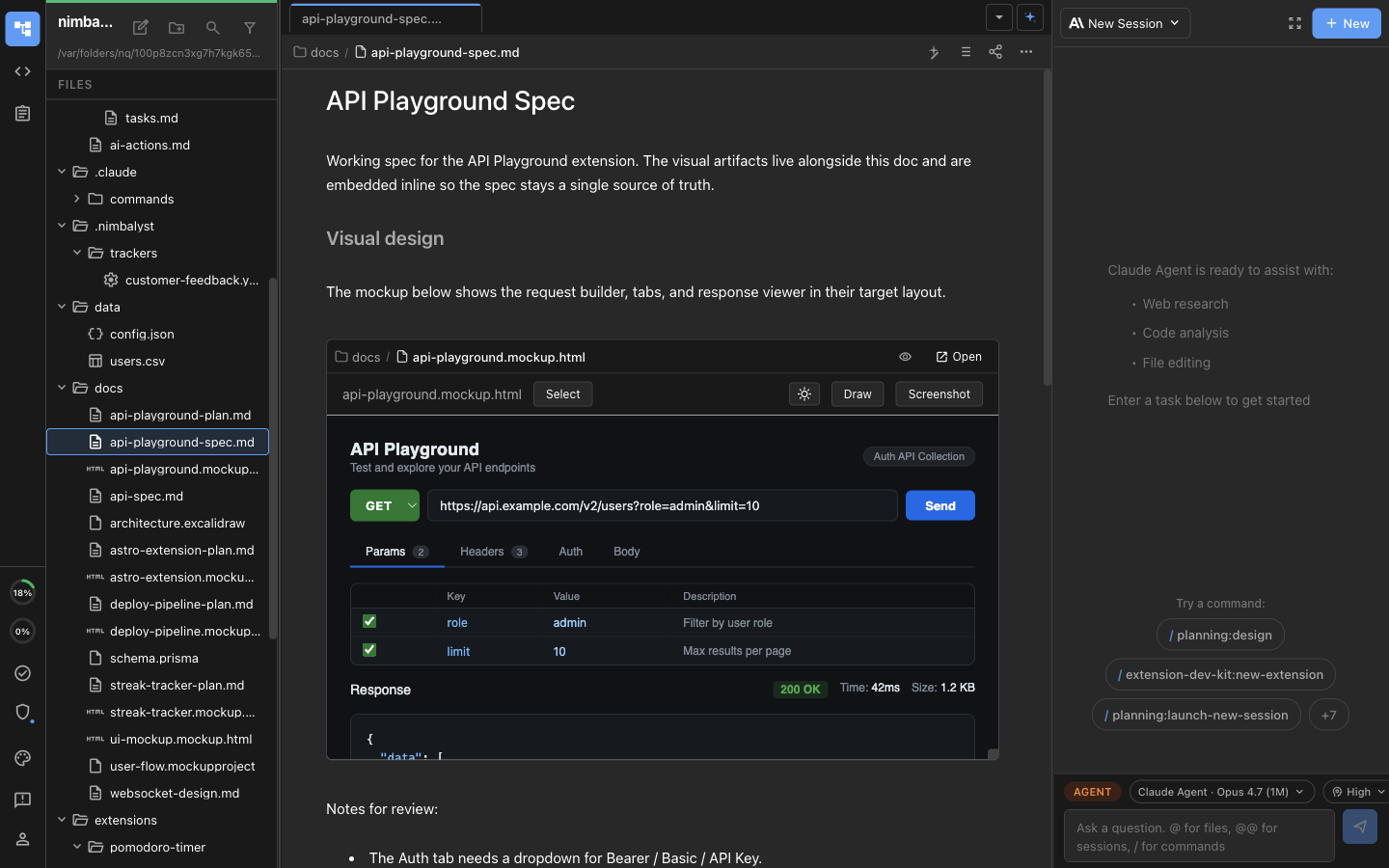
A markdown document can render other workspace files inline as live frames. Drop a link to a file like .mockup.html, .excalidraw, .datamodel, .csv, or any other custom-editor file on its own line and Nimbalyst upgrades it into an embedded editor in WYSIWYG view.

How it works:
Type
@to pick a file. If the file is a supported custom-editor type and the link ends up alone in its own paragraph, it auto-upgrades to an inline embed.You can also paste a normal markdown link like
[my mockup](./docs/api.mockup.html)on its own line.The embedded frame is the real editor for that file. Edit it in place and the change saves back to the file on disk.
Multiple users see embedded edits stream in live when the document is shared.
Switch to raw Markdown view (the three dots at the top right) to see the underlying link. The link round-trips: write a link in raw view, switch to WYSIWYG, and it becomes a live frame.
AI Editing in Shared Collaborative Documents
When you are editing a shared document in collaboration mode, the right-pane chat sees and edits the active document the same way it does in Files mode. Edits route through Yjs, so other connected users see them stream in live. The familiar accept/reject bar appears for pending AI edits, just like in single-user editing.
You don't need to do anything special to turn this on — open a shared document, ask the agent to edit it, and the changes flow into the document for everyone in the session.
Anchor Links to Headings
Clicking a Markdown anchor link like [Section](#section) in a Lexical document scrolls the document to the matching heading.
Export to PDF
Markdown documents export to PDF with the document title and an outline generated from your headings. Exported files are bookmarked at each heading and the title shows up in PDF readers.
Undo/Redo Stack
Nimbalyst enables you to undo and redo your edits
Cmd+Z to Undo
Cmd+Option+Z to Redo
Last updated